Keyword research: a step-by-step process for SEO and AI search

Keyword research is the process of finding the words and questions people type into search engines, then deciding which of them your website should answer. For each term you judge how many people search for it, what they expect to find, how hard it would be to rank and whether those visitors are worth anything to your business.
It is the step that turns an SEO strategy into a list of pages to build or improve. This guide explains the metrics that matter, a seven-step process you can follow with free tools, how to read search intent from the results page, how AI search changes the work and a worked example for a small UK business.
What is keyword research?
A keyword is any search query you want a page to appear for. It can be a single word, such as “accountant”, or a full question, such as “do I need an accountant to file a self assessment tax return”. Keyword research collects these queries, adds data to them and sorts them into a plan.
The output is not a list of words to repeat in your copy. Google stopped using the keywords meta tag in 2009 because it was so easy to stuff with irrelevant terms, and modern search systems understand synonyms and related phrases well. The real output is a set of decisions: which topics deserve a page, which page answers which query and in what order to work through them.
Keyword metrics that matter
Every keyword tool reports roughly the same numbers, and each is easy to misread.
| Metric | What it tells you | What to watch for |
|---|---|---|
| Search volume | Average monthly searches in a chosen country | An estimate, often averaged over 12 months, so seasonal peaks disappear |
| Keyword difficulty | How hard it is to reach the first page, usually on a 0 to 100 scale | Each tool calculates it differently, mostly from the backlinks of pages that rank |
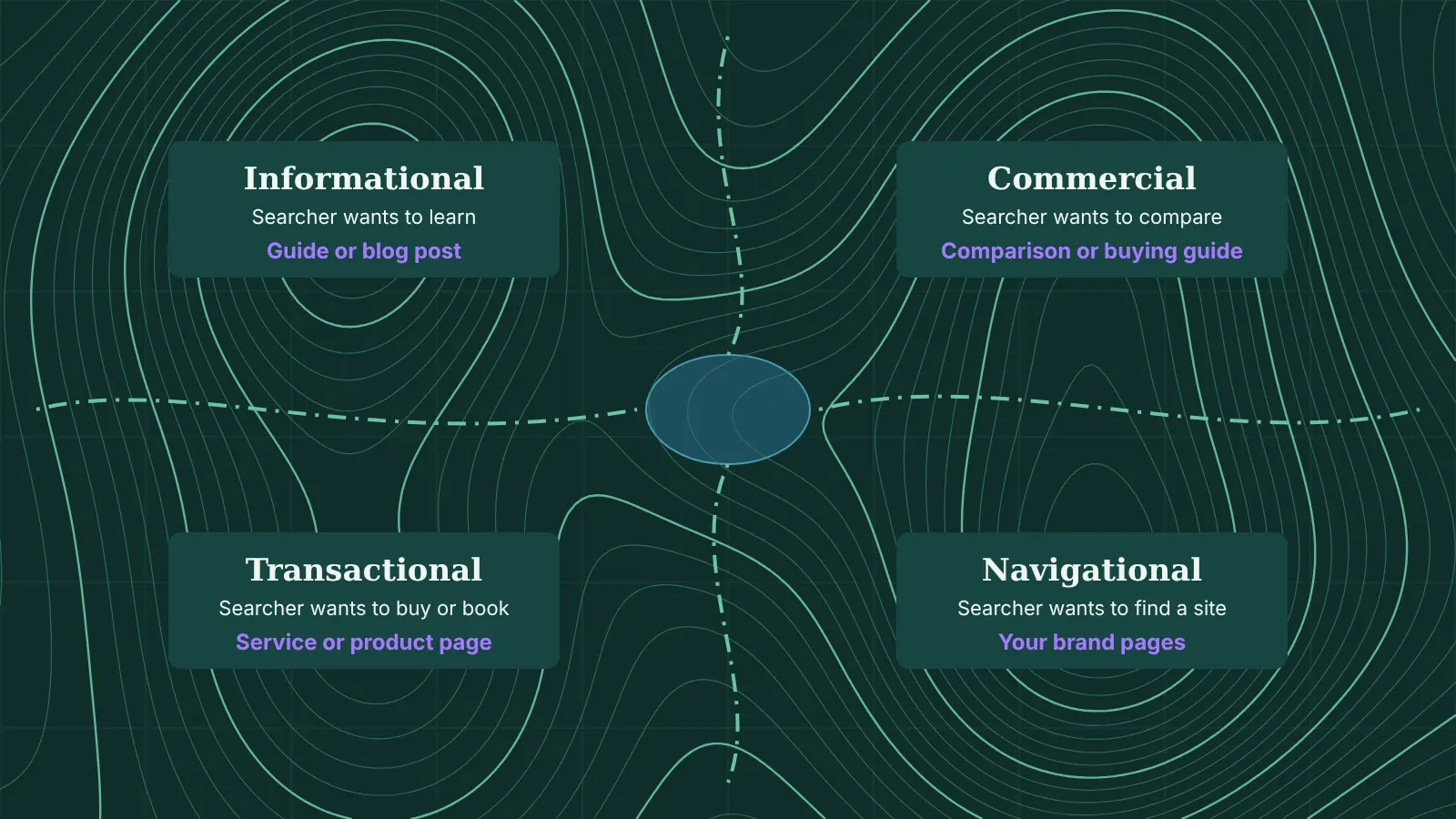
| Search intent | What the searcher wants: to learn, compare, buy or find a specific site | Tools guess it; the results page shows it |
| Cost per click | What advertisers pay for a click in Google Ads | A good sign of commercial value, even if you never run ads |
| Trend | Whether interest is rising, falling or seasonal | Best checked in Google Trends over five years |
Seasonality is the one most often missed. A tool might show a steady average for “self assessment help”, but searches for tax return topics cluster before the 31 January online filing deadline. Publishing in late January is too late. Google Trends scales interest from 0 to 100 relative to the peak in the period you choose, so it shows the shape of demand rather than exact numbers, which is exactly what you need for timing.
Volume also matters less than it looks. Ahrefs found that almost 93% of the keywords in its US database get fewer than 10 searches a month. Specific long-tail keywords rarely look impressive in a spreadsheet, but together they make up much of the traffic a focused site receives, and the people behind them usually know exactly what they want.
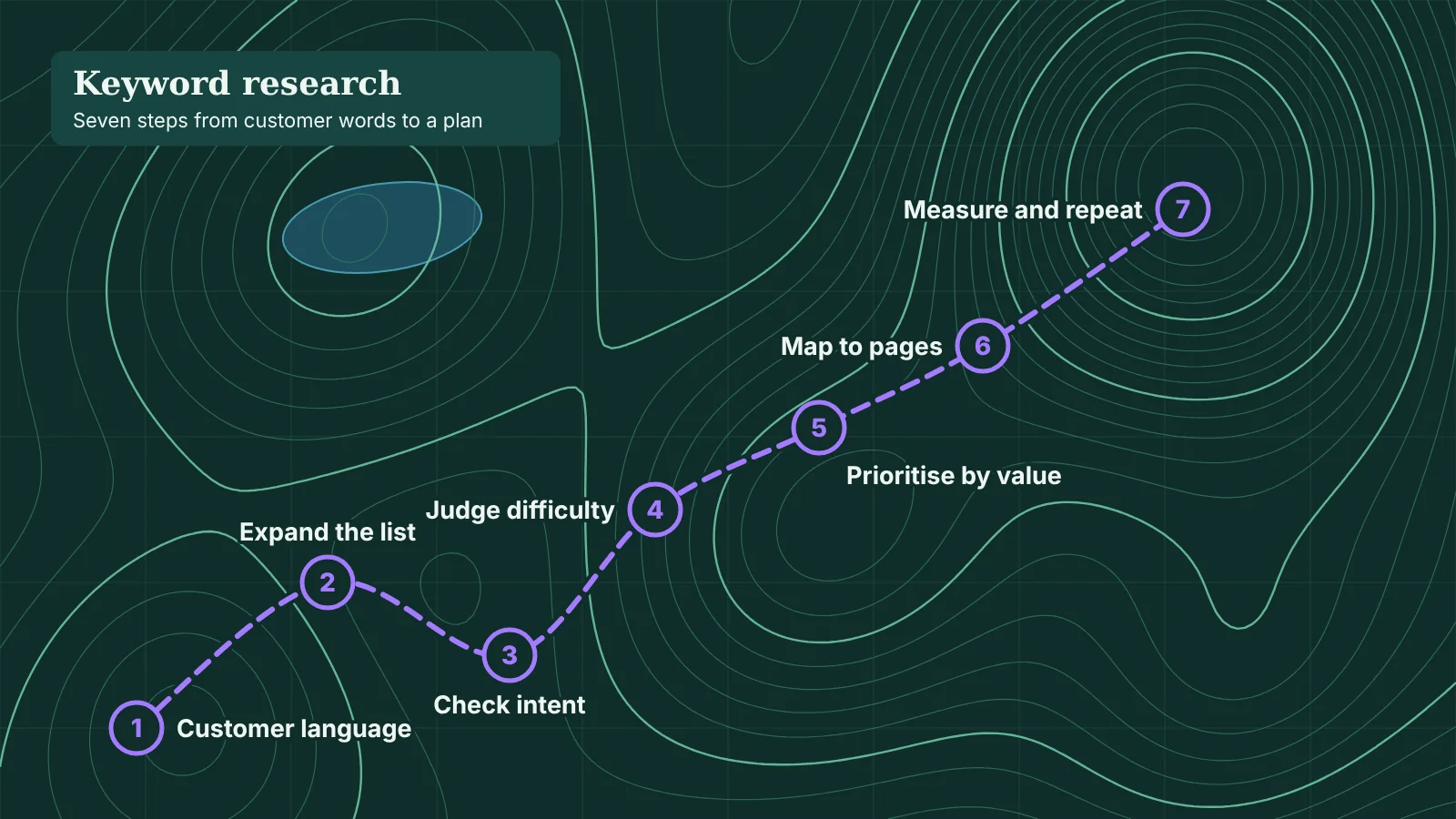
How to do keyword research in 7 steps
1. Start with your customers, not a tool
List the products, services and problems you want to be found for, in the words customers use. Sales calls, enquiry emails, reviews and support tickets are the best sources, because they show how people describe the problem before they know your terminology. A customer may search for “damp on bedroom wall” long before they search for “condensation treatment”.
2. Expand the list
Put each seed term into a keyword tool and collect the variations, questions and related phrases it returns. Add Google’s own suggestions: the autocomplete in the search bar, the “People also ask” box and the related searches at the bottom of the page. If your site already has some traffic, the Performance report in Google Search Console shows the real queries people used to find you, including ones no tool would have suggested.
3. Check the intent on the results page
Search each important keyword in a private browser window, set to the UK, and look at what ranks. Google has already worked out what most people want, and the results page is its answer. If the first page is full of product listings, a blog post will struggle. If it is full of guides, a sales page will.
| Intent | Example | What usually ranks | Page to build |
|---|---|---|---|
| Informational | how to fix a leaking tap | Guides, videos, an AI Overview | Blog post or guide |
| Commercial | best combi boiler for a small flat | Reviews, comparisons, lists | Comparison or buying guide |
| Transactional | emergency plumber Bristol | Map pack, service pages, ads | Service or location page |
| Navigational | British Gas login | The brand’s own pages | Usually none, unless it is your brand |
Note the SERP features as well. A map pack, a video carousel or an AI Overview above the organic results changes how many clicks are left for everyone else.
4. Judge the difficulty against your own site
A difficulty score of 40 means one thing for a national retailer and another for a two-year-old local business. Look at who ranks on page one. If every result belongs to a household name with thousands of linking domains, choose a more specific version of the query. If you see small business sites, forum threads or thin pages, there is room for a better answer. New sites usually win faster with long-tail keywords and local terms than with broad ones.
5. Prioritise by business value
Score each keyword on three things: how closely it matches what you sell, how realistic it is to rank and how much demand there is. A query with 50 searches a month from people ready to hire you is worth more than one with 5,000 from students writing an essay. A simple 1 to 3 score for each factor, multiplied together, is enough to sort a long list into a clear order.
6. Group keywords and map them to pages
Keywords that share an intent and would be answered by the same page belong in one group. “How much does a loft conversion cost”, “loft conversion price UK” and “average cost of a loft conversion” are one page, not three. Give each group a primary keyword and one target URL. This keyword map prevents keyword cannibalisation, where your own pages compete for the same query, and it shows where a broad guide needs supporting articles, the structure explained in topic clusters and pillar pages.
7. Plan the work, then measure and repeat
Move the top groups into your content calendar, with existing pages that need improving ahead of new ones. After publishing, track impressions, clicks and average position for each page in Search Console. Repeat the research every six to twelve months, because new questions appear constantly and the results pages change with them.
Keyword research tools
Free tools cover most of the work. Paid tools save time on larger sites and add competitor data.
| Tool | Cost | Best for |
|---|---|---|
| Google Search Console | Free | The queries your site already appears for, with real clicks and impressions |
| Google Keyword Planner | Free with a Google Ads account | Keyword ideas and volume estimates straight from Google |
| Google Trends | Free | Seasonality, rising topics and comparing terms by region |
| Google search itself | Free | Autocomplete, People also ask and checking intent |
| Semrush, Ahrefs, Ubersuggest | Paid, with limited free use | Large keyword lists, difficulty scores and competitor rankings |
Keyword Planner was built for advertisers, and Google confirmed in 2016 that accounts with low ad spend see broad volume ranges such as 1K to 10K instead of exact figures. Use it for ideas and a sense of scale, and treat every tool’s numbers as estimates to compare keywords with each other rather than forecasts of traffic.
Search does not only happen on Google. If your audience looks for products and advice on TikTok, Instagram or YouTube, each platform’s own search bar is a keyword tool too, as covered in the guide to finding TikTok keywords.
Keyword research for AI search
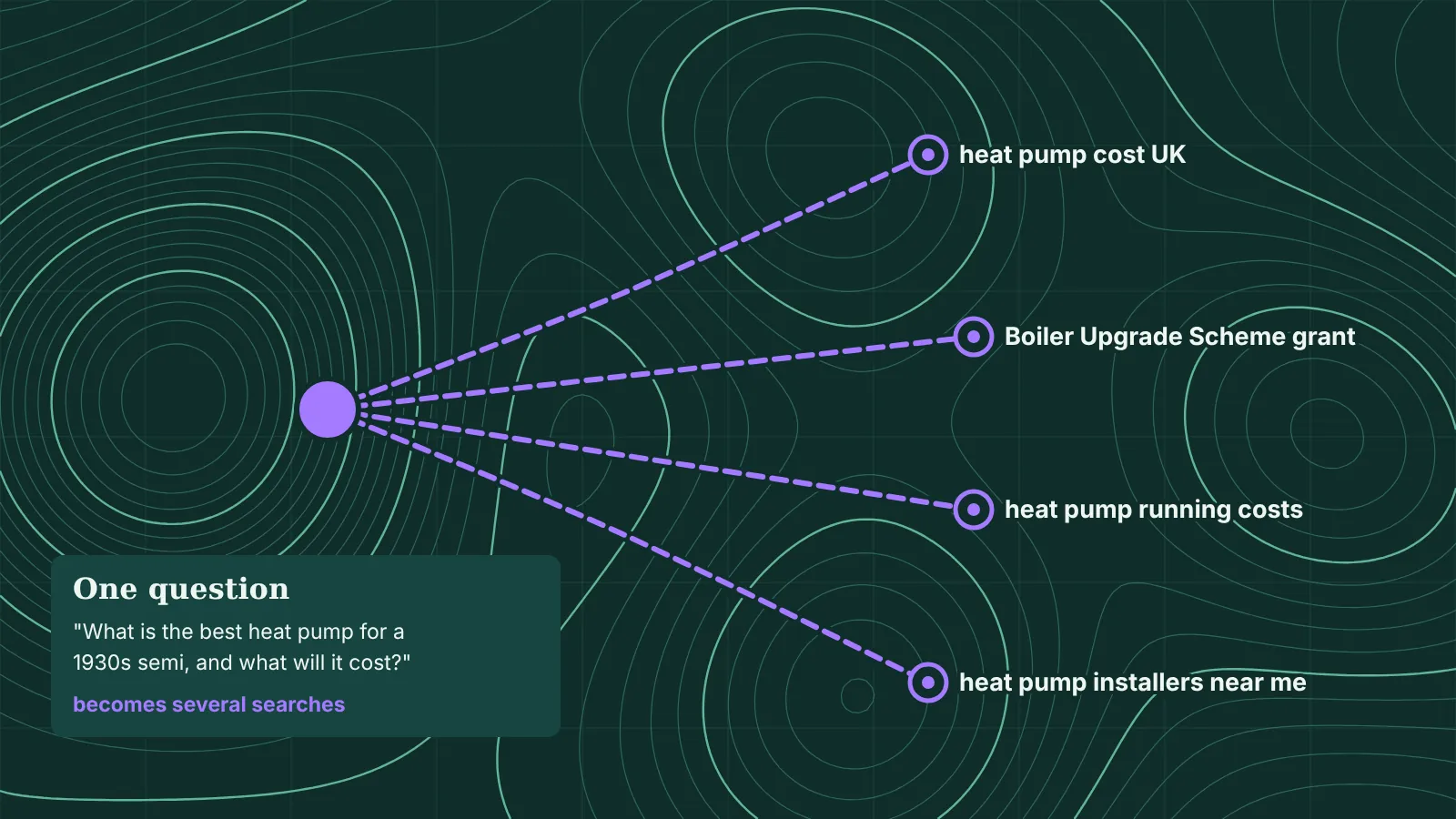
People ask AI tools longer and more detailed questions than they type into a search bar. When Google launched AI Mode in the UK, it said early users were asking questions two or three times the length of traditional search queries. Behind the scenes, AI Overviews and AI Mode can use query fan-out, running several related searches across subtopics to build one answer. A single prompt about choosing a heat pump might trigger searches about costs, grants, running costs and installers.
Keyword research still works, but the unit of planning shifts from a single keyword to a topic and its follow-up questions. In practice:
- Collect questions, not just phrases. People also ask, Reddit threads and your own enquiry emails show the follow-up questions a full answer needs to cover.
- Cover the subtopics on one strong page. Each well-answered section is another chance to match one of the fan-out searches, which is how pages get cited in Google AI Overviews for queries they don’t rank for directly.
- Weight queries that still send clicks. Simple definitions are often answered on the results page. Comparisons, prices, local searches and decisions still bring visitors who want to act.
- Write answers that can be quoted. A direct answer under each question heading helps people, featured snippets and AI tools alike. The AI Readiness Checker shows whether a page uses these formats and whether AI crawlers can reach it.
Measurement is less tidy. Google’s guidance on AI features and your website says traffic from AI Overviews and AI Mode is counted in the Search Console Performance report under the “Web” search type, alongside ordinary results. For ChatGPT and other assistants, checking a fixed list of likely customer prompts each month is the most practical way to see whether your brand appears.
Keyword research example
Take an independent bike shop in Bristol that sells bikes, services them and runs a Cycle to Work scheme partnership. Its seed list from customer conversations includes “bike service”, “e-bike”, “commuter bike” and “cycle to work”. After expanding, checking the results pages and grouping, part of its keyword map looks like this:
| Primary keyword | Intent | Also covers | Target page |
|---|---|---|---|
| bike service Bristol | Transactional | bike repair Bristol, bike service near me | Existing service page, improved |
| how often should you service a bike | Informational | bike service checklist, what is included in a bike service | New guide linking to the service page |
| best hybrid bike for commuting | Commercial | hybrid vs road bike for commuting | New buying guide |
| cycle to work scheme e-bike | Commercial | how does cycle to work work, cycle to work limit | New guide with a link to the scheme page |
The shop would not chase “electric bike” nationally, where retailers and manufacturers hold every position. Its best opportunities are the local service query, which leads straight to bookings, and guides answering questions its staff hear every week, each linking to the page that makes money.
Common keyword research mistakes
- Chasing volume. The biggest keyword in your sector is usually the hardest to rank for and the vaguest in intent.
- Skipping the results page. A tool’s intent label is a guess. Ten seconds on Google tells you what kind of page can rank.
- Using US data for a UK audience. Set every tool to the United Kingdom. Spellings, terms and demand differ, from “holiday” and “vacation” to “estate agent” and “realtor”.
- Researching once. Search behaviour changes, especially as AI tools spread. A yearly review, and a content audit to match, keeps the plan current.
Frequently asked questions
What is keyword research in SEO?
Keyword research is the process of finding the search queries people use, judging their volume, intent, difficulty and business value, and deciding which page on your site should answer each one.
How do you do keyword research for free?
Start with the words your customers use, expand them with Google autocomplete, People also ask and Google Keyword Planner, check seasonality in Google Trends and use Google Search Console to see the queries your site already appears for.
How many keywords should you target per page?
Each page should have one primary keyword and can cover its close variations and related questions. If two keywords need different answers or different types of page, give them separate pages.
Is keyword research still relevant with AI search?
Yes. AI search systems still run searches to find sources, often several per question. What changes is that you plan around topics and follow-up questions rather than single phrases.
What is a good keyword difficulty score?
There is no universal number, because each tool calculates difficulty differently. For a new or small site, lower scores and specific long-tail keywords are the realistic place to start; compare scores within one tool rather than across tools.
On this page
Back to topFind the searches worth winning
Kutola turns keyword research into an SEO and AI search plan: the queries that bring customers, the page that should answer each one and the order to tackle them. Get in touch to see where your best opportunities are.