Content calendar: what to include, a template and examples
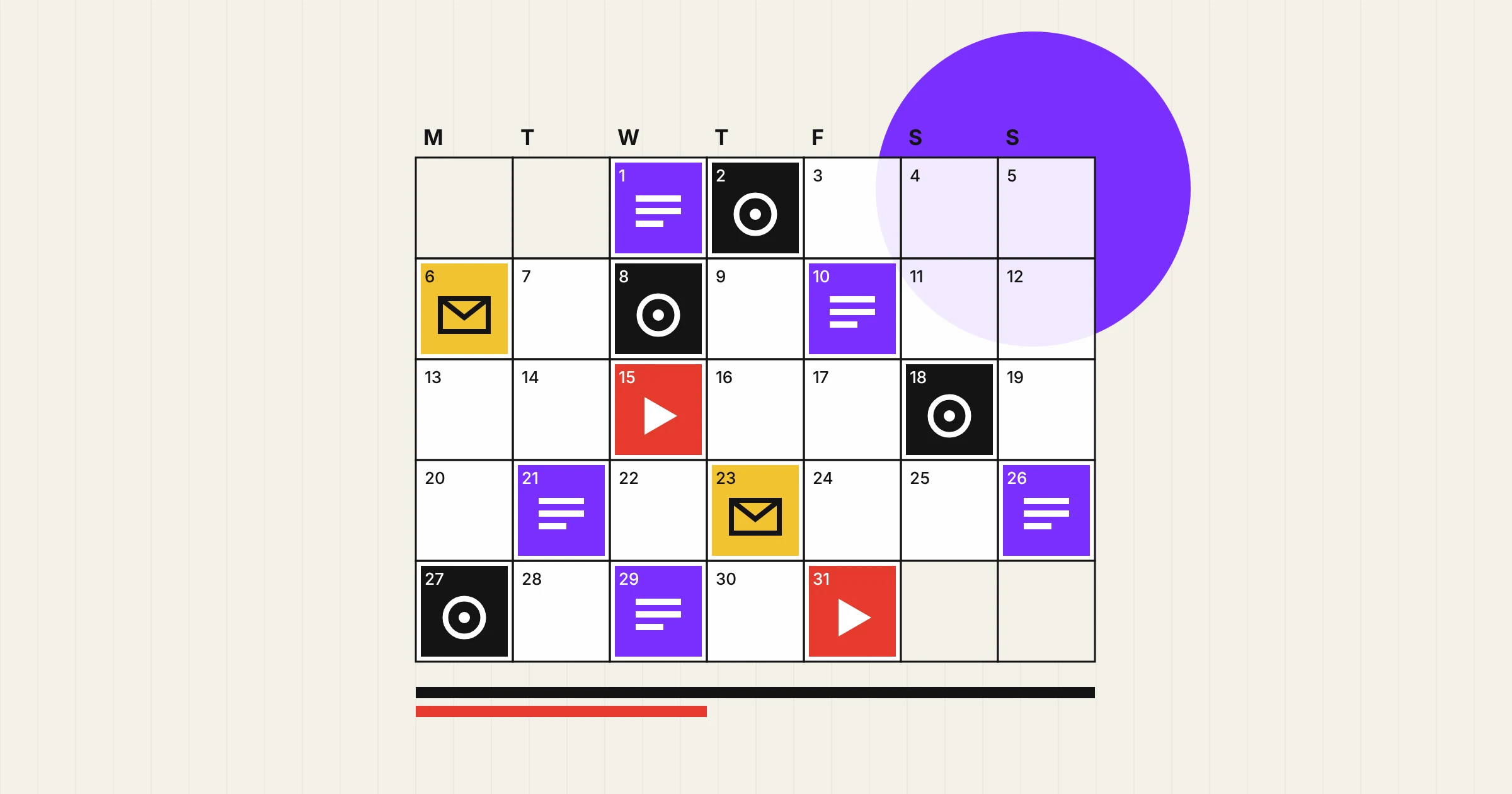
A content calendar is a shared schedule of the content you plan to publish: what each piece is, which channel it goes out on, the date, who is making it and what stage it has reached. It is the working document that turns a content strategy into dates and deadlines, and most teams keep one in a spreadsheet or project tool, planned one to three months ahead.
This guide explains how a content calendar differs from an editorial calendar and a content plan, which fields to include and how to set one up in six steps. It also gives you a template with sample entries, shows how real organisations plan around fixed dates, compares the tools and covers the mistakes that stop a calendar being used.
What is a content calendar?
A content calendar puts every planned piece of content on one timeline, across every channel you use. A blog guide, a newsletter, three LinkedIn posts and a product video due in the same fortnight all sit side by side, so you can see whether the month hangs together and whether the team can actually deliver it.
The publish date is only one column. A useful calendar also tracks the work behind each piece: when the brief is due, when the draft goes for review, who signs it off and where it will be shared afterwards. That is what separates it from a list of post ideas. A sole trader might keep a simple sheet with six columns for two posts a week. A marketing team with writers, designers and an approval process needs more detail, but the job is the same.
Content calendar vs editorial calendar
Many teams use “content calendar” and “editorial calendar” for the same document, and that is fine as long as everyone means the same thing. Where the terms are kept apart, the difference is scope. The editorial calendar comes from publishing, where magazines still release one each year to tell advertisers which themes each issue will cover. In marketing it usually means the schedule of longer pieces, such as articles, guides and newsletters, with their deadlines. A content calendar covers everything that goes out, on every channel, day by day.
| Document | What it decides | Time frame |
|---|---|---|
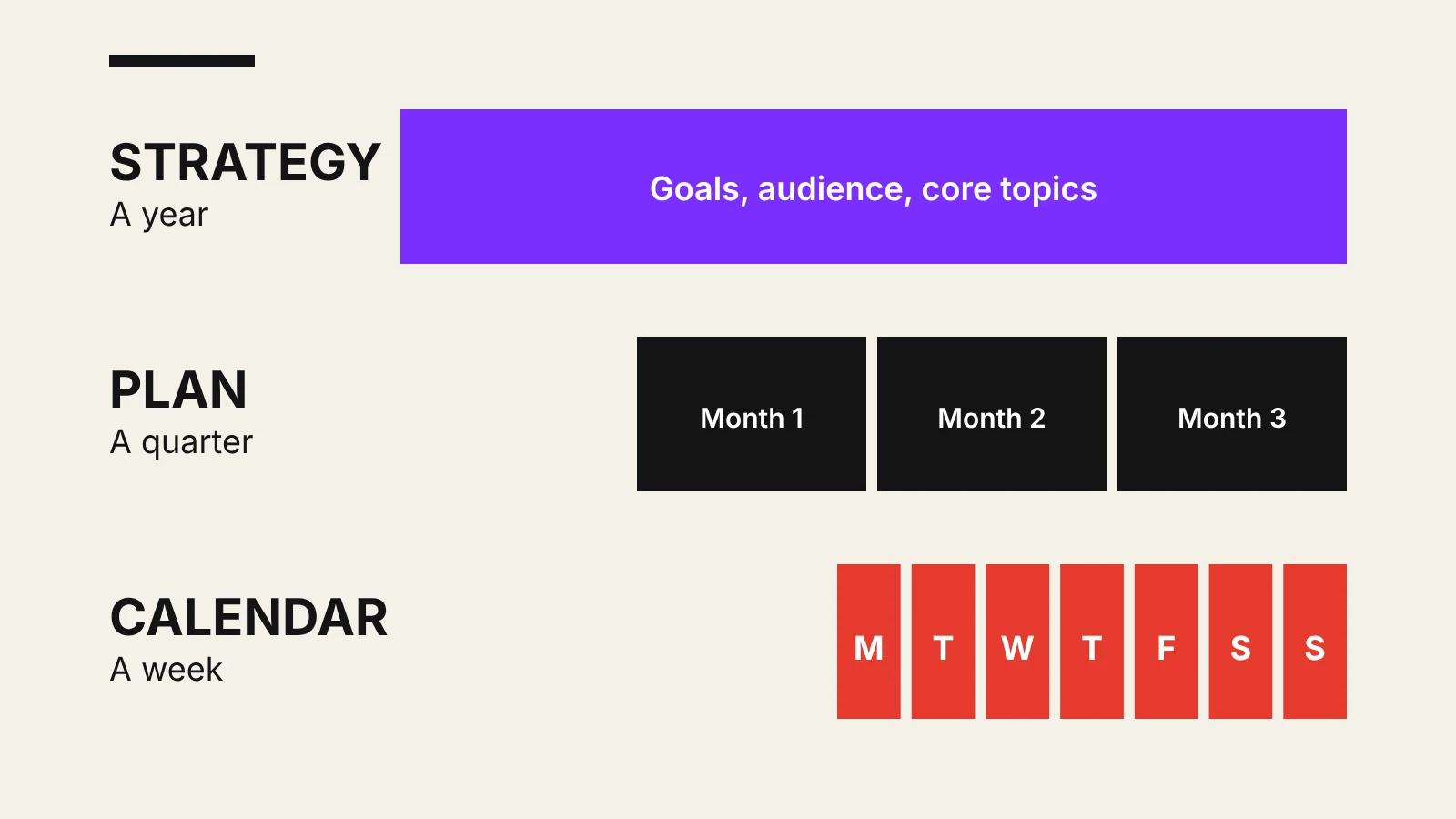
| Content strategy | Why you publish, for whom, the core topics and the standards content must meet | A year, reviewed each quarter |
| Content plan | Themes, campaigns and formats for a period, with owners and budget | A month or a quarter |
| Editorial calendar | Long-form pieces and their deadlines through brief, draft, review and publication | One to three months |
| Content calendar | Every piece on every channel, by date, with owner and status | A week to a quarter |
A social media content calendar is the same tool narrowed to social platforms, with captions, formats and posting times for each network. Its goals and content themes come from your social media strategy.
Why use a content calendar?
- A pace you can keep. Writing takes longer than most plans allow. Orbit Media’s 2026 survey of 1,042 marketers found that the average blog post takes about three hours and 20 minutes to write, before design, review and sign-off. Seeing the month’s workload in one place stops you promising more than the team can make.
- Lead time for dated topics. A guide to a January deadline or a Christmas gift guide is only useful if it is live, indexed and shared before people start searching. The calendar shows when work has to begin, not just when it has to go out.
- Balance across topics and stages. Laid out by week, it is easy to spot a month that covers one subject, one format or only the top of the marketing funnel and nothing for people ready to buy.
- Fewer bottlenecks. When review and approval dates sit next to publish dates, a partner who has to check three guides in the same week sees it coming.
What to include in a content calendar
Start with the fields you will actually fill in. The first six are enough for a small business, and the rest earn their place once several people work on the same calendar.
- Publish date and time, plus the channel it goes out on.
- Working title or topic, specific enough that anyone could brief it.
- Format, such as guide, video, carousel, newsletter or page update.
- Core topic, so you can check the mix against your strategy.
- Owner: one named person, even if several people contribute.
- Status: idea, briefed, in draft, in review, scheduled or published.
- Goal and funnel stage, so each piece has a job and a way to judge it.
- Target query: the keyword or question the piece answers, with its search intent.
- Due dates for the brief, the draft and the review.
- Links to the brief, the draft and, once live, the published URL.
- Distribution notes: where the piece will be shared and what it will be cut into.
- Review date, for evergreen content that needs checking every six or twelve months.
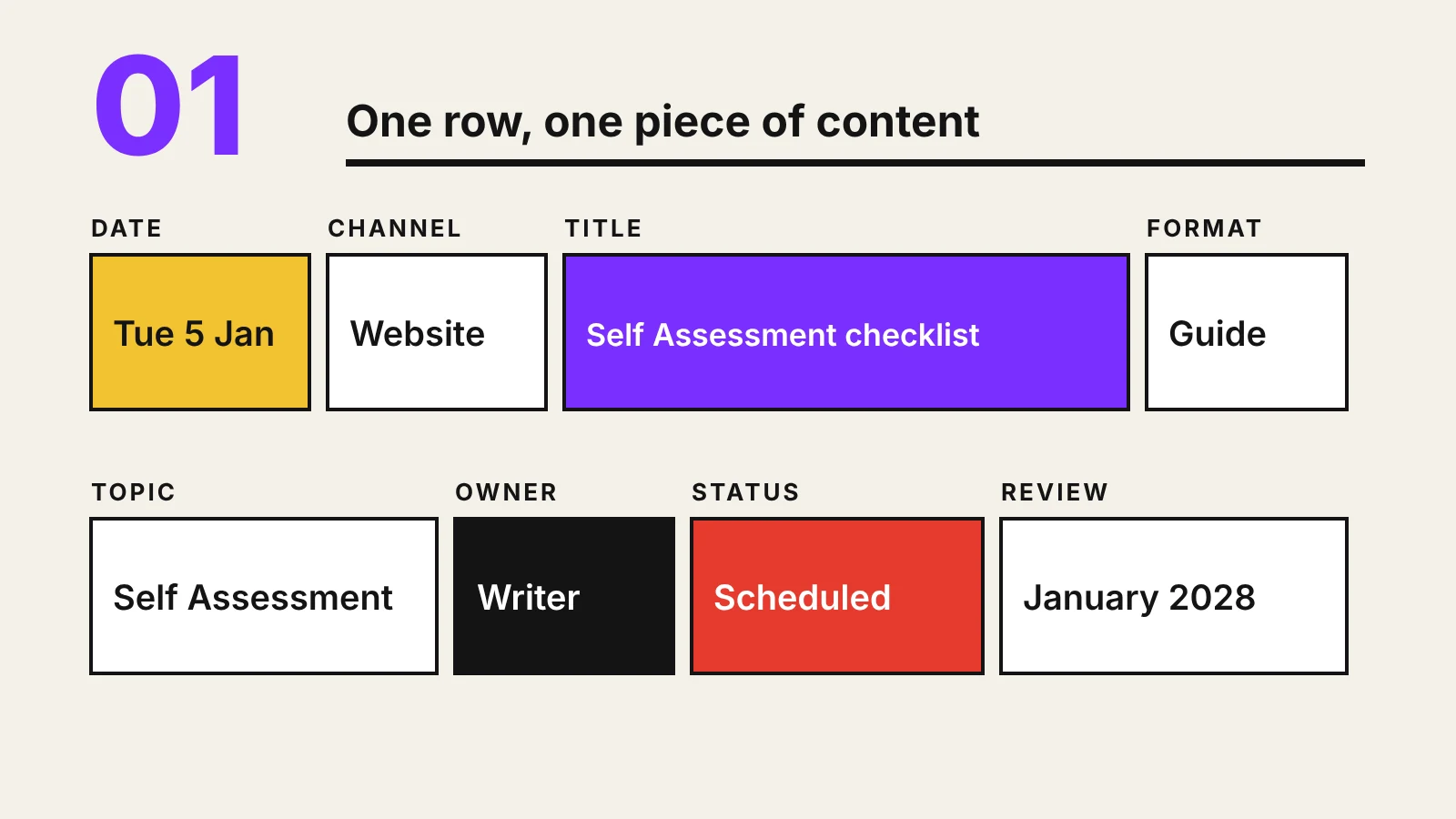
Content calendar template
Copy these columns into Google Sheets or Excel, one row per piece of content. The sample rows show January for the fictional Bristol accountancy firm from our one-page content strategy template. The online Self Assessment deadline for the 2025 to 2026 tax year is 31 January 2027, so that topic leads the month.
| Date | Channel | Content | Format | Topic | Owner | Status |
|---|---|---|---|---|---|---|
| Tue 5 Jan | Website | Self Assessment checklist: what to gather before 31 January | Guide | Self Assessment | Writer, partner review | Scheduled |
| Wed 6 Jan | Five documents to find before you file | Carousel | Self Assessment | Marketing lead | In design | |
| Tue 12 Jan | January newsletter: deadline reminder and checklist link | Newsletter | Self Assessment | Marketing lead | In draft | |
| Tue 19 Jan | Website | Refresh of the guide to hiring your first employee | Page update | Payroll | Partner | Review due |
| Mon 25 Jan | Common last-minute Self Assessment mistakes | Short video | Self Assessment | Partner | Briefed | |
| Thu 28 Jan | Website | Sole trader or limited company: how to choose | Guide | Company formation | Writer | Idea |
The deadline topic goes out early, gets repurposed for LinkedIn and email, and ends with a reminder in the final week. The month still includes one update to an older page and one guide on a different core topic, so the calendar doesn’t become a single campaign.
How to create a content calendar in 6 steps
1. Start from your strategy
The calendar schedules decisions that have already been made. Take the goals, audiences and three to five core topics from your content strategy and list them at the top of the sheet. If a piece of content doesn’t serve one of them, it doesn’t go in.
2. Set a pace you can keep
Count the hours each person really has each month, then work out how many pieces of each format fit. One researched guide and four social posts a month, kept up for a year, will do more than a weekly blog that stops in March. Google’s own guidance lists producing lots of content on many different topics in the hope that some of it performs as a warning sign, so volume is not the goal.
3. Mark the fixed dates first
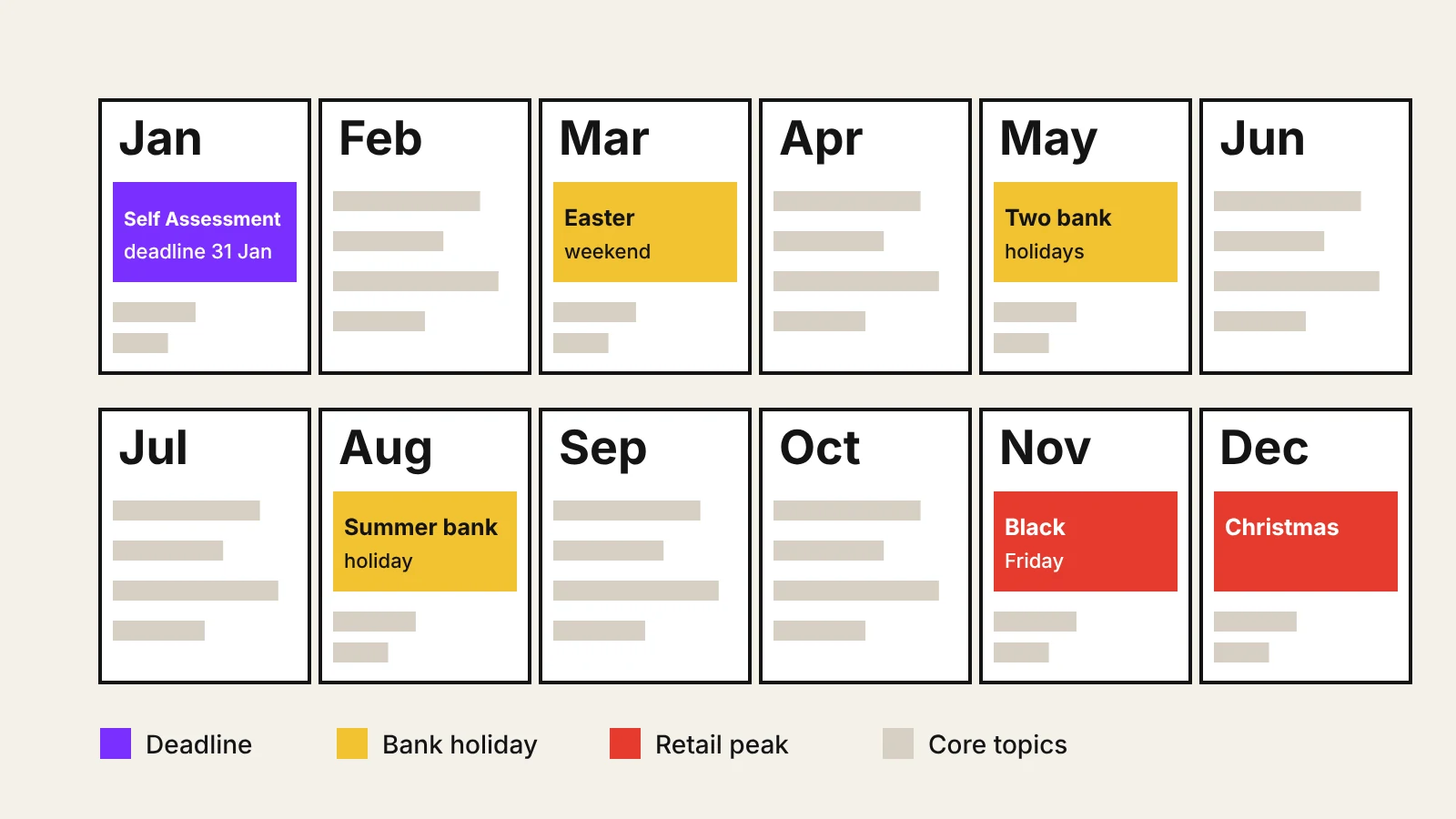
Add everything that won’t move: product launches, events, sector deadlines, sales periods and UK bank holidays, which affect both publishing days and what people search for. Use Google Trends to see when interest in your seasonal topics starts to climb, and schedule that content several weeks earlier so it has time to be found.
4. Fill the gaps with your core topics
Spread the core topics across the weeks between fixed dates, and mix formats and funnel stages within each month. If search is a priority, plan pillar pages and their supporting articles together, as described in the content side of an SEO strategy, so each new piece links to something that already exists. Plan the repurposing in the same row: the guide, the carousel and the newsletter mention belong to one idea.
5. Add the workflow and leave room
Work backwards from each publish date to set the brief, draft and review deadlines, and name one owner per row. Keep roughly one slot in five open for news, customer questions and ideas that come up during the month. A calendar with no spare space breaks the first time something urgent happens.
6. Review it every month
At the end of each month, check what went out against the plan and against your KPIs. Move or drop what slipped, note which topics and formats performed and add update slots for older pages that have passed their review date. Then extend the calendar by another month so you always have one to three months ahead.
Content calendar examples
Two familiar UK examples show how fixed dates shape a whole calendar.
John Lewis at Christmas. John Lewis has released a Christmas advert every year since 2007, and recent ones arrive in early November; the 2025 advert launched on 4 November. For a retailer, a moment like that is the anchor of the season. Product content, social posts, emails and gift guides are scheduled around it, and the work starts months before the launch date.
HMRC and the Self Assessment deadline. HMRC builds a countdown towards 31 January each year, with news releases such as “100 days to file” and “Eight days left to file”. The same message is repeated at planned intervals with a different angle each time. Any business with a seasonal deadline, from tax to school admissions, can use the same pattern.
Content calendar tools
The best tool is the one your team will open every week. Most small businesses don’t need more than a shared spreadsheet.
| Tool type | Examples | Best for |
|---|---|---|
| Spreadsheet | Google Sheets, Excel | One to three people and a handful of pieces a month |
| Project board | Trello, Asana, Notion, monday.com | Teams with several contributors, approval stages and briefs to attach |
| Social scheduler | Meta Business Suite, Buffer, Hootsuite, LinkedIn’s own scheduling | Queueing social posts once they are approved |
| CMS scheduling | WordPress and most other website platforms | Publishing articles at a set date and time |
Schedulers publish content, but they don’t plan it, so keep the calendar as the single source and use schedulers for the final step. In WordPress you set a future date in the post settings and the Publish button changes to Schedule. LinkedIn lets you schedule posts up to three months ahead.
Common content calendar mistakes
- Filling it before the strategy exists. Dates without goals produce a busy calendar and little else.
- Tracking only publish dates. Without brief and review deadlines, every piece is late by the time anyone notices.
- Leaving no room for the unplanned. Timely posts and customer questions need somewhere to go.
- Never scheduling updates. Older pages need review slots too. When you do update one, change it properly: Google’s guidance specifically warns against changing the date of a page to make it seem fresh when the content hasn’t substantially changed.
- Too many columns. If a field is empty in most rows, remove it.
- Forgetting ad labels. Paid partnerships and influencer posts in the calendar need a clear “Ad” label from the start. The ASA expects marketing to be obviously identifiable, and a label hidden among hashtags is not enough.
Frequently asked questions
What is a content calendar?
A content calendar is a shared schedule of the content a business plans to publish, showing what each piece is, the channel, the date, the owner and its current status. It turns a content strategy into dates and deadlines.
What should a content calendar include?
At minimum: publish date, channel, title or topic, format, core topic, owner and status. Larger teams add the goal, target keyword, brief and review deadlines, links to drafts, distribution notes and a review date. The template in this guide shows a sample month.
What is the difference between an editorial calendar and a content calendar?
The terms are often used for the same document. When they are kept apart, an editorial calendar schedules longer pieces such as articles and newsletters, while a content calendar covers every piece on every channel, including social posts.
How far ahead should you plan a content calendar?
Most businesses plan one to three months ahead in detail and keep a rough view of the full year for fixed dates such as launches, deadlines and seasonal peaks. Review and extend it every month.
Can I make a content calendar in Google Sheets or Excel?
Yes. A spreadsheet with one row per piece of content is enough for most small businesses. Move to a project tool such as Trello, Asana or Notion when several people need to brief, review and approve work.
On this page
Back to topPlan content you can keep publishing
Kutola helps businesses turn a content strategy into a calendar the team can deliver, with the right topics, a realistic pace and a review routine that keeps older pages accurate. Get in touch to plan your next quarter of content.