How to add schema markup that Google and AI tools can read
Schema markup is code that describes what a page is about in a standard vocabulary that search engines and AI tools understand: a business with an address, a product with a price, an article with an author. Adding it makes pages eligible for rich results in Google, such as product prices and review stars, and makes your facts easier for machines to read correctly. It does not directly improve rankings, and Google has retired several rich result types, so the aim is accurate description rather than tricks.
Schema markup is one part of technical SEO. This guide explains what it is, what it does and does not do, which types matter for most businesses, how to add and test it step by step, how it works in WordPress and what it means for AI search.
What is schema markup?
Schema markup, also called structured data, uses a shared vocabulary from Schema.org, a project founded by Google, Microsoft, Yahoo and Yandex. The vocabulary defines types, such as LocalBusiness or Product, and properties, such as address, price or opening hours.
Google recommends adding it as JSON-LD: a block of code in the page that sits apart from the visible content. A simple example for a local business looks like this:
<script type="application/ld+json">
{
  "@context": "https://schema.org",
  "@type": "Plumber",
  "name": "Bright Plumbing",
  "url": "https://www.example.co.uk/",
  "telephone": "+44 117 496 0000",
  "address": {
    "@type": "PostalAddress",
    "streetAddress": "12 Station Road",
    "addressLocality": "Bristol",
    "postalCode": "BS1 4AA",
    "addressCountry": "GB"
  },
  "openingHours": "Mo-Fr 08:00-18:00"
}
</script>
Visitors never see this code. Search engines and other tools read it to understand the page without having to guess from the text.
What schema markup does, and what it does not
- It makes pages eligible for rich results. Google uses structured data to show extras such as product prices and stock, review stars, event dates, recipes and breadcrumbs. Eligibility is not a guarantee: Google decides when to show them.
- It helps machines understand your facts. Markup connects your business name, address, logo, social profiles and authors, which supports how Google and other systems understand who you are.
- It is not a direct ranking factor. Google has said structured data does not boost rankings by itself. Rich results can improve click-through rates, which is where most of the value comes from.
- Some rich results no longer exist. HowTo rich results have gone, and Google stopped showing FAQ rich results in May 2026. In 2025 it also phased out several other types, including course info, book actions and estimated salary. The markup is still valid, but it no longer changes how the page looks in results.
Which schema types matter
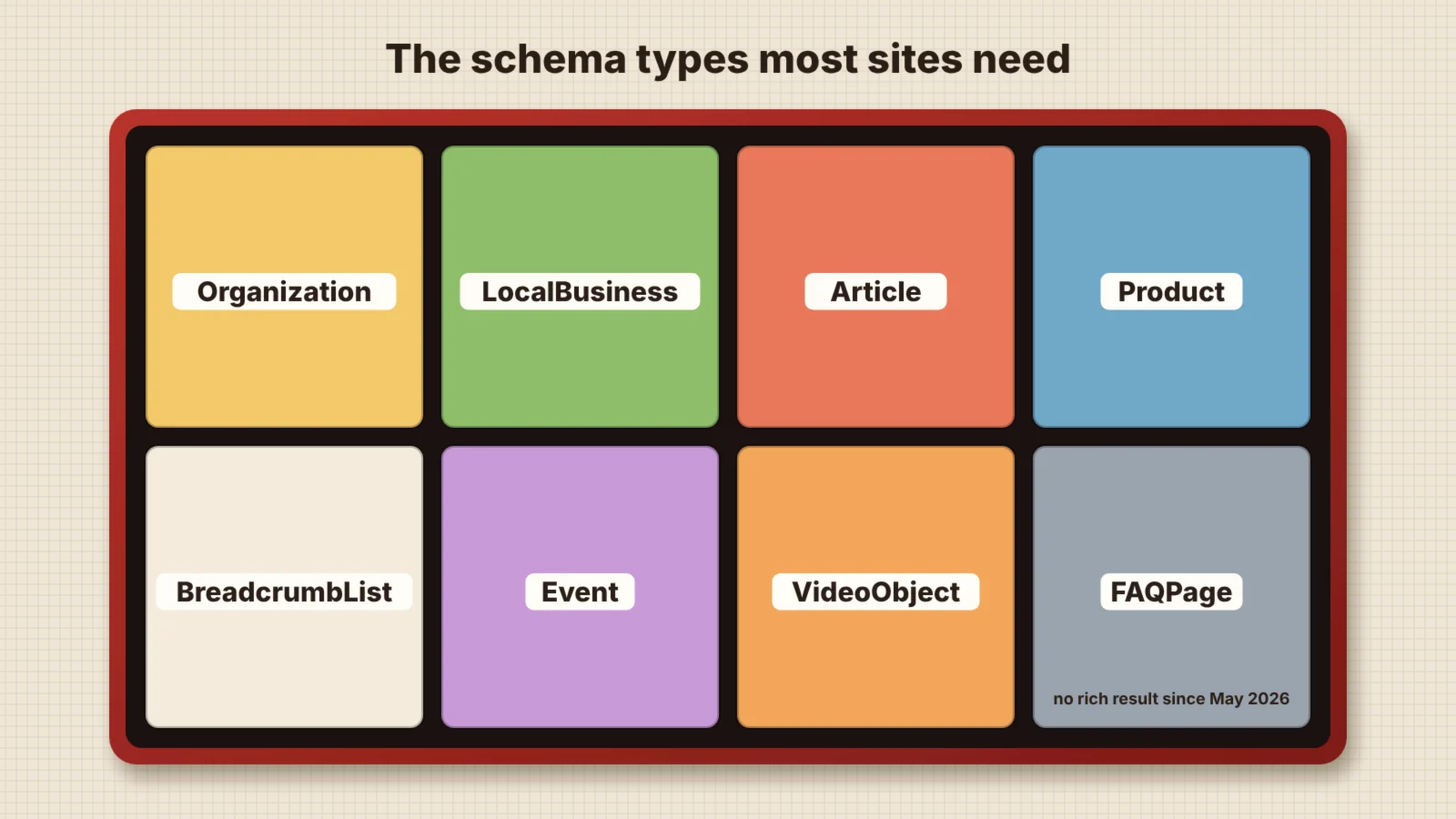
Most small business websites need only a handful of types. The table below shows the common ones and whether they can still produce a visible result in Google.
| Type | Use it for | Visible result in Google |
|---|---|---|
| Organization | Your company name, logo, contact details and social profiles, usually on the homepage | Can help Google show your logo and details |
| LocalBusiness | Businesses with premises or a service area, with address, hours and phone number | Supports local details, alongside your Google Business Profile |
| WebSite and BreadcrumbList | Your site name and where each page sits in the site structure | Site name and breadcrumb trail in results |
| Article | Blog posts, guides and news, with headline, author, dates and image | Better headline, image and date display |
| Product with Offer | Product pages, with price, currency, availability, shipping and returns | Price, stock and review stars |
| Event | Dated events with a place and tickets | Event listings with dates |
| VideoObject | Pages built around a video | Video thumbnails and key moments |
| JobPosting | Job adverts | Listings in Google’s job search |
| Recipe | Recipes with ingredients, times and ratings | Recipe cards with image and rating |
| FAQPage | Questions and answers shown on the page | None since May 2026, but still describes the content |
Google’s search gallery lists every type that can currently produce a rich result, with the properties each one needs. Check it before you start, because the list changes.
Review stars need care. Google does not show stars for reviews a business publishes about itself on its own LocalBusiness or Organization markup. Stars are mainly for products, recipes and other things being reviewed, and the reviews must be genuine and visible on the page.
How to add schema markup in 6 steps
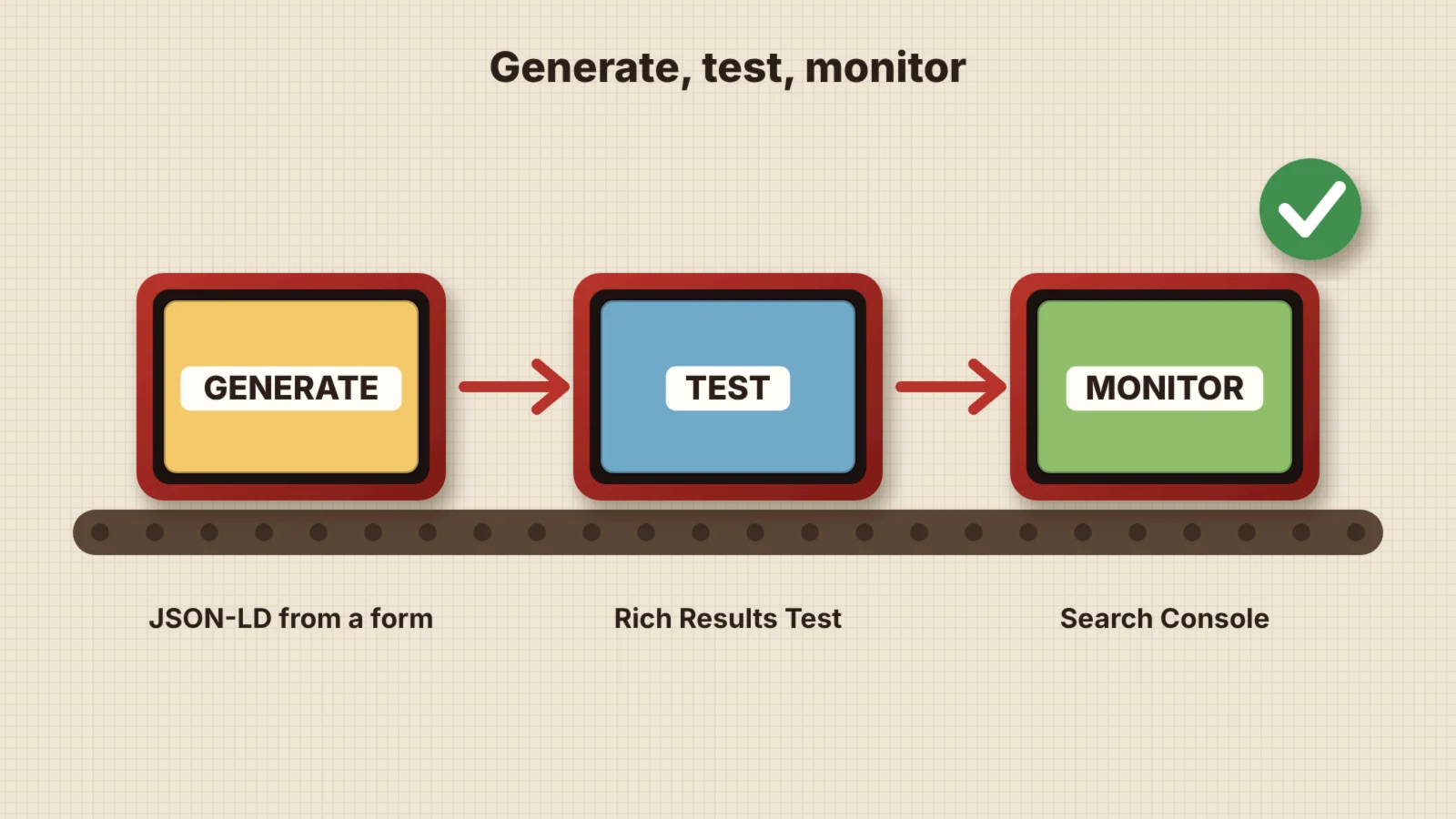
- List your page types. Homepage, service pages, blog posts, product pages, contact page. Each page type needs its own set of markup.
- Choose the types for each. Use the table above and Google’s search gallery. Only mark up what is actually on the page.
- Generate the code. The free Kutola Schema Markup Generator can read an existing page, suggest the usual types and produce JSON-LD you can copy. It also shows which types your plugin already adds.
- Add it to the page. Use your SEO plugin’s settings, a custom HTML block, your theme’s header or a tag manager. Code in the page source is the most reliable option.
- Test before publishing. Run the page or code through Google’s Rich Results Test and the Schema Markup Validator. Fix errors first, then warnings that matter for your goals.
- Monitor in Search Console. The enhancement reports show valid items, warnings and errors over time, so you can spot problems after theme or plugin updates.
Schema markup in WordPress
SEO plugins already add a basic set of markup. Yoast SEO, for example, adds WebSite, WebPage, Organization or Person, BreadcrumbList and Article to posts as one connected graph. Rank Math and similar plugins do much the same.
That basic set is a good start, but it rarely covers everything. Service details, LocalBusiness opening hours, products without an ecommerce plugin and events often need extra markup. Add it in a way that connects to the plugin’s graph where possible, rather than creating a second, separate Organization.
Avoid running two SEO plugins or adding a schema plugin on top of an SEO plugin without checking the output. Duplicate or conflicting markup, such as two different business names or addresses, confuses search engines more than having none.
How to test and monitor your markup
Test the code and the live page
The Rich Results Test shows which rich results a page is eligible for and flags missing required properties. The Schema Markup Validator checks the markup against the full Schema.org vocabulary, including types Google does not use for rich results.
Check it matches the page
Google’s structured data policies require markup to describe content visitors can see. A price, rating or opening time that appears only in the code can lead to a manual action, which removes rich results from your site.
Watch for changes
Re-test key templates after a theme change, plugin update or redesign, because markup often breaks silently. Search Console’s enhancement reports and the Kutola generator’s page check make this quick.
Schema markup and AI search
AI search tools need accurate facts about your business, and structured data states those facts in a format machines can read without guessing. Microsoft’s Bing team has said that schema markup helps its systems, including Copilot, understand web content. OpenAI, Anthropic and Perplexity have not said how much their tools rely on it.
The safest view is that schema supports AI visibility but does not replace clear content. Markup that matches visible, well-written pages, consistent business details across the web and crawlers that can reach your site all matter more together than any one of them alone. The Kutola AI Readiness Checker checks crawler access and structured data in one go, and our guide to generative engine optimisation covers the wider picture.
Common schema markup mistakes
- Marking up content that is not on the page. It breaks Google’s policies and can lead to a manual action.
- Self-serving review stars. Adding your own testimonials as AggregateRating on your business markup will not show stars and can be treated as spam.
- Duplicate markup. Two plugins, or a plugin and hand-written code, each describing the business differently.
- Outdated details. Old prices, addresses or opening hours in the code after the visible page has changed.
- Chasing retired rich results. Adding FAQ or HowTo markup expecting extra space in Google, which no longer happens.
- Never testing. Markup that breaks after an update can go unnoticed for months without a check in Search Console.
Frequently asked questions
What is schema markup?
Schema markup is code added to a web page, usually in JSON-LD format, that describes its content using the Schema.org vocabulary. It tells search engines and other tools that a page is about a business, product, article, event or other thing, with details such as prices, addresses and authors.
Does schema markup improve SEO?
Not directly. Google says structured data is not a ranking factor on its own, but it can make pages eligible for rich results, which often attract more clicks, and it helps search engines understand your content and business details.
Is schema markup the same as structured data?
The terms are used interchangeably. Structured data is the general idea of describing content in a standard format, and Schema.org is the vocabulary almost everyone uses for it, so markup built with it is usually called schema markup.
Do I still need FAQ schema?
Google stopped showing FAQ rich results in May 2026, so FAQ markup no longer changes how pages appear in Google. It is still valid and harmless, and it describes your questions and answers to any tool that reads it.
How do I check if my site has schema markup?
Run a page through Google’s Rich Results Test or the Schema Markup Validator, or use the page check in the Kutola Schema Markup Generator, which shows the types your site already outputs.
On this page
Back to topMake sure search engines and AI read your site correctly
Kutola audits the structured data on your key pages and fixes errors and gaps. We also make sure your business details match everywhere search engines and AI tools look. See how it fits into our SEO and AI search work, or get in touch to talk through your site.