Marketing attribution: how to see which channels bring you customers
Marketing attribution is the way you give credit for a sale or enquiry to the marketing that led to it, so you know which channels, campaigns and content are worth more budget. For most small and mid-sized businesses, a reliable setup has four parts: GA4 with the right key events, consistent UTM tags on every campaign link, a simple attribution model you understand and a “how did you hear about us?” question to catch what tracking misses.
Attribution is how you measure the channels in your digital marketing strategy and the KPIs you report on. This guide explains the main attribution models, what to set up in GA4, how to tag links with UTM parameters, how UK cookie rules affect tracking and the limits every marketer should know.
What is marketing attribution?
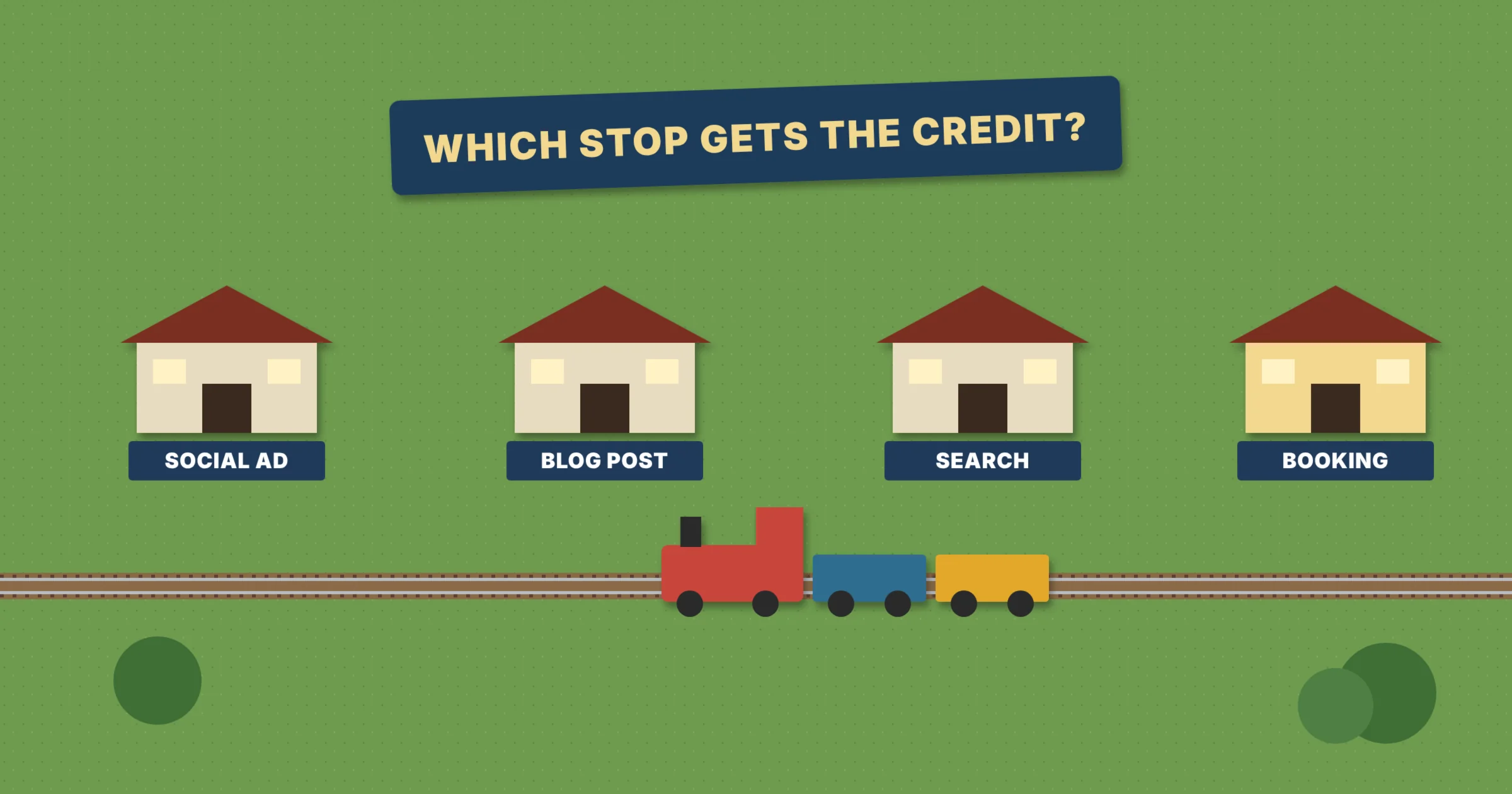
Customers rarely buy after one touch. Someone might see a social ad, read a blog post a week later, search for your name and then book. Attribution decides how much credit each of those touches gets.
Get it wrong and you cut the channels that start journeys because they rarely get the last click, or keep paying for ones that only take credit for sales that would have happened anyway. Get it roughly right and you can move budget with confidence.
Marketing attribution models explained
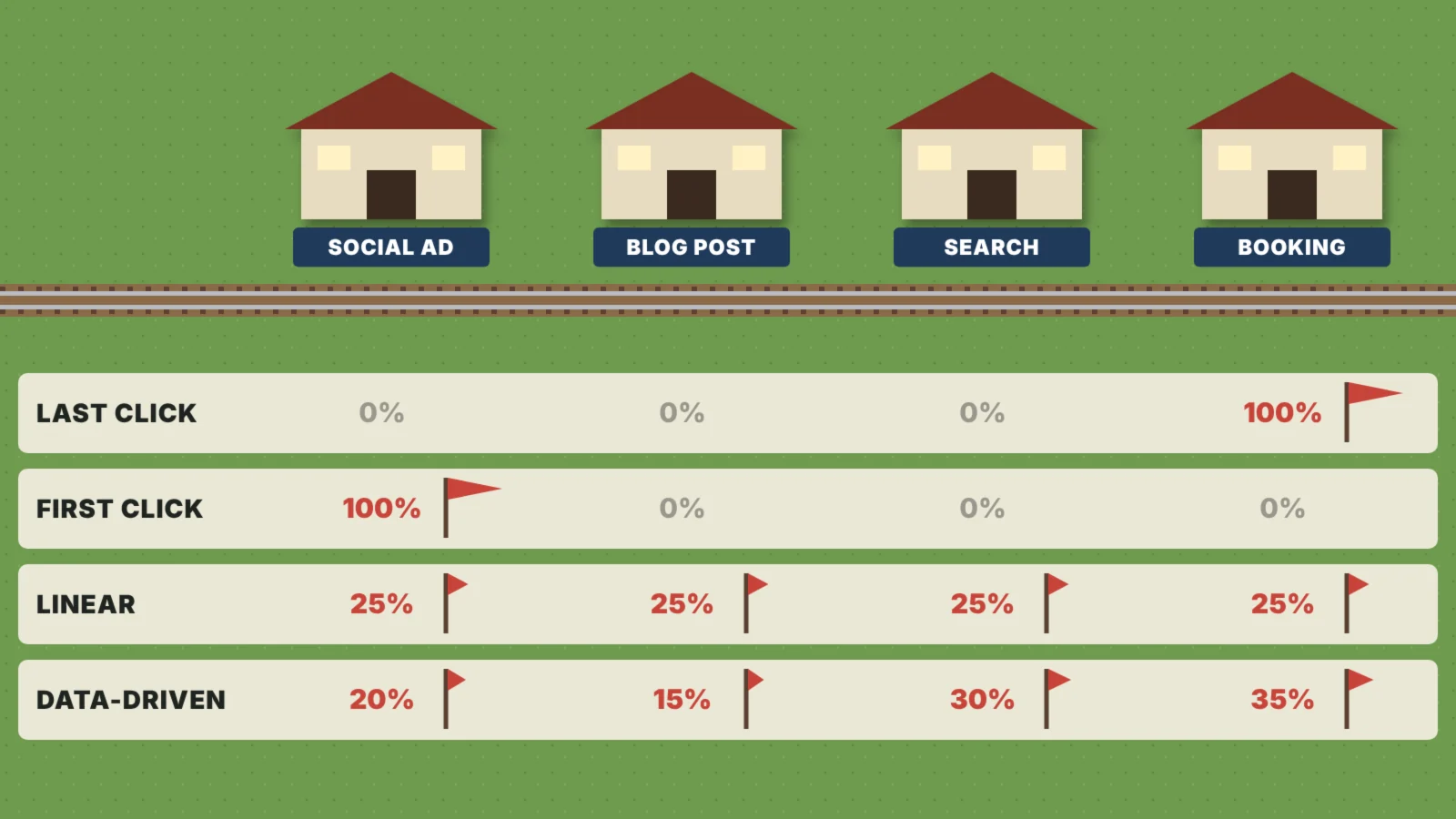
- Last click: all credit goes to the final channel before the conversion. Simple, but it undervalues anything that creates demand.
- First click: all credit goes to the first channel. Useful for seeing what starts journeys, but it ignores what closes them.
- Linear: credit is shared equally across every touch.
- Position-based: most credit goes to the first and last touches, with the rest shared across the middle.
- Data-driven: an algorithm compares paths that convert with paths that do not and shares credit based on which touches made a difference.
GA4 now offers only two main options for reports: data-driven attribution, which is the default, and paid and organic last click. Google removed the first click, linear, time decay and position-based models from GA4 and Google Ads in 2023. Data-driven needs enough conversions to work well, so small sites may see results close to last click.
What to set up in GA4
Key events
Mark the actions that matter as key events, which GA4 used to call conversions. For most businesses that means purchases, enquiry form submissions, booked calls and phone clicks. Keep newsletter sign-ups and other small steps separate so they do not inflate results.
Attribution settings
In Admin, under Data display, check your attribution settings. Choose the reporting model and the lookback windows, which decide how far back GA4 looks for touches that led to a key event. Note the settings in your reports so everyone reads the numbers the same way.
Link your other tools
Link Google Ads and Search Console to GA4, so costs, clicks and search queries appear alongside conversions. Import costs from other ad platforms where you can, or compare them in a simple spreadsheet.
Check the reports that matter
The traffic acquisition report shows which channels bring sessions. The advertising section, including conversion paths, shows how channels work together before a key event. Look at both rather than judging channels on last click alone.
How to use UTM parameters
UTM parameters are tags added to the end of a link that tell GA4 where a visit came from. Without them, clicks from emails, social posts and many ads can land in the wrong channel or appear as direct traffic.
- utm_source: where the link was placed, such as newsletter, facebook or linkedin.
- utm_medium: the type of channel, such as email, paid_social or cpc.
- utm_campaign: the campaign name, such as spring_sale_2026.
- utm_content: optional, to tell apart two links or ads in the same campaign.
- utm_term: optional, usually for paid search keywords.
A tagged link looks like this:
https://www.example.co.uk/offer/?utm_source=newsletter&utm_medium=email&utm_campaign=spring_sale_2026Keep a shared naming sheet and always use lower case, because GA4 treats “Email” and “email” as different values. Never put UTM tags on links between pages of your own site, because they start a new session and overwrite the real source.
Attribution and UK cookie rules
Tracking depends on cookies and similar technologies, which are covered by PECR. Since February 2026, changes made by the Data (Use and Access) Act 2025 mean first-party analytics used only to produce statistics about your own website can be set without consent, as long as you tell people and give them a simple way to object.
That exemption does not cover advertising. Ad pixels, remarketing and analytics that share data with ad platforms still need consent, so some visitors will always be missing from your data. Our guide to PECR and cookies explains the rules, and the ICO’s guidance on storage and access technologies sets out the detail.
The limits of attribution
No attribution setup sees everything. Plan for the gaps:
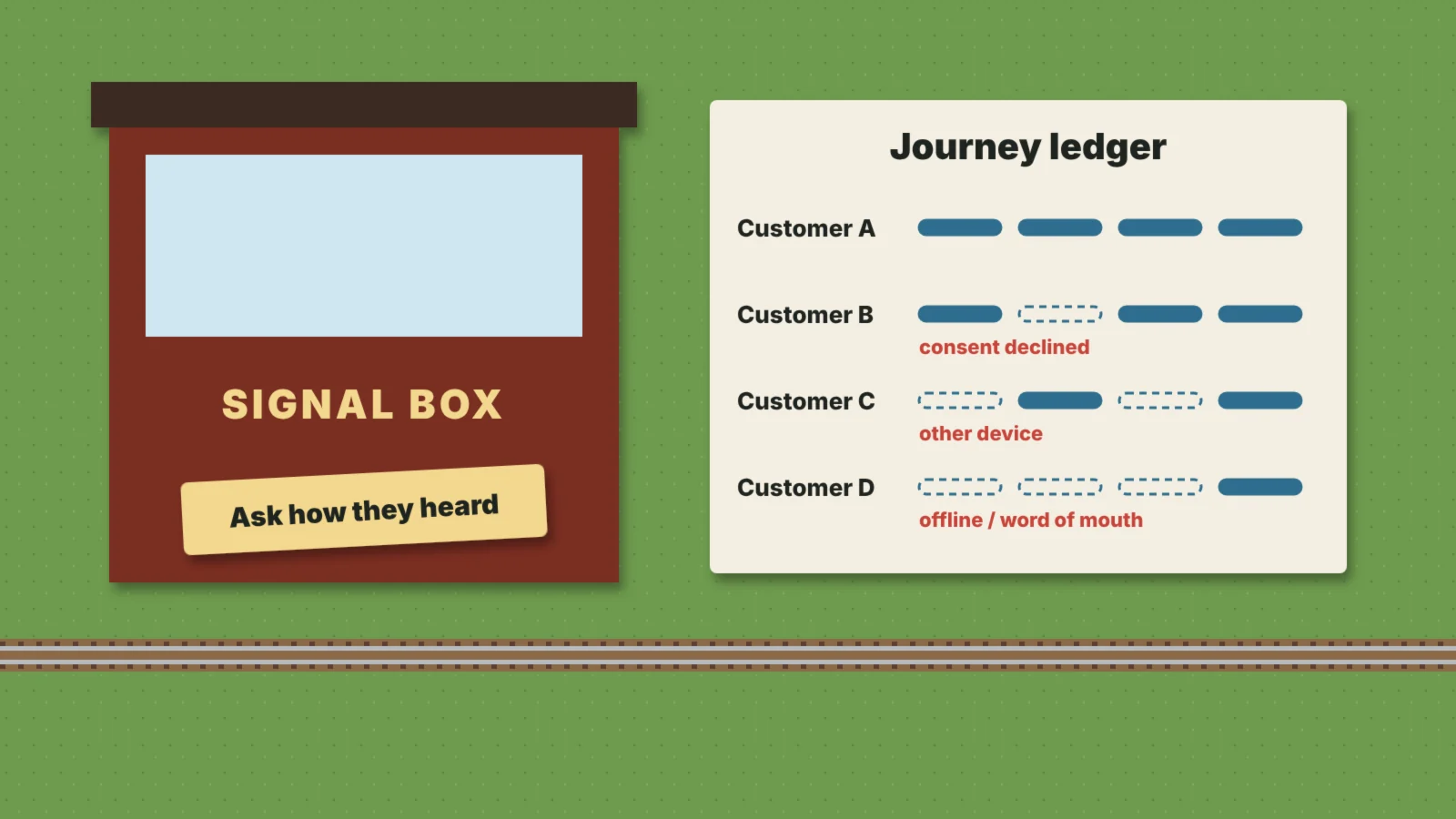
- Consent and privacy: people who decline cookies, block trackers or use private browsing are partly or fully invisible.
- Several devices: someone who sees an ad on a phone and buys on a laptop may look like two people.
- Offline and dark social: word of mouth, phone calls, events and links shared in messaging apps often show up as direct traffic.
- Platform reports overlap: Google Ads, Meta and other platforms each claim credit using their own rules, so their totals usually add up to more than your real sales.
- Correlation, not cause: attribution shows which touches came before a sale, not whether the sale would have happened without them.
Two simple checks help. Ask new customers how they heard about you, in your enquiry form or at the first call. For larger budgets, run holdout tests, where you pause a channel in one area or for one period and compare results. Bigger advertisers also use marketing mix modelling, which estimates each channel’s effect from spend and sales over time.
How to set up marketing attribution in 6 steps
- Agree what counts as a conversion and set those actions up as key events in GA4.
- Check your consent banner and tags so analytics and ad tags fire in line with UK rules.
- Create a UTM naming sheet and tag every campaign link in emails, social posts and ads that are not auto-tagged.
- Link Google Ads and Search Console and choose your attribution settings.
- Add a “how did you hear about us?” question to forms or calls.
- Review monthly, comparing GA4, platform reports and what customers say, and move budget gradually towards what works.
Common marketing attribution mistakes
- Trusting platform numbers alone. Each ad platform marks its own homework.
- Judging channels on last click. Channels that start journeys look weak and get cut.
- Messy UTM tags. Inconsistent names split one campaign across several rows.
- Counting every small action as a conversion. Mixing sign-ups with sales hides what drives revenue.
- Ignoring offline sales. If deals close by phone, record the source in your CRM.
- Expecting precision. Attribution gives a direction, not an exact answer. Use it to make better decisions, not perfect ones.
Frequently asked questions
What is marketing attribution?
Marketing attribution is the process of giving credit for a sale or enquiry to the marketing touches that led to it, such as ads, emails, social posts or search visits, so you can see which channels and campaigns are working.
What attribution model does GA4 use?
GA4 uses data-driven attribution by default for its reports. The other main option is paid and organic last click. Google removed first click, linear, time decay and position-based models in 2023.
What are UTM parameters?
UTM parameters are tags added to a link, such as utm_source, utm_medium and utm_campaign, that tell analytics tools where a visit came from. They are essential for emails, social posts and ads that are not tagged automatically.
Do I need cookie consent for GA4 in the UK?
It depends on how you use it. Since February 2026, first-party analytics used only for statistics about your own site can run without consent if you inform users and let them object. If GA4 shares data with advertising features or is used for anything beyond your own statistics, you still need consent.
Which attribution model is best for a small business?
Use GA4’s default data-driven model if you have enough conversions, check conversion paths rather than last click alone and add a “how did you hear about us?” question. Together they give a more honest picture than any single model.
On this page
Back to topSee which marketing actually brings customers
Kutola sets up GA4, key events, UTM tagging and consent so your data is clean and compliant, then turns it into reports that show where your budget works hardest. See how it fits into our audit and strategy work, or get in touch to talk through your tracking.