Welcome emails: what to send in the first week
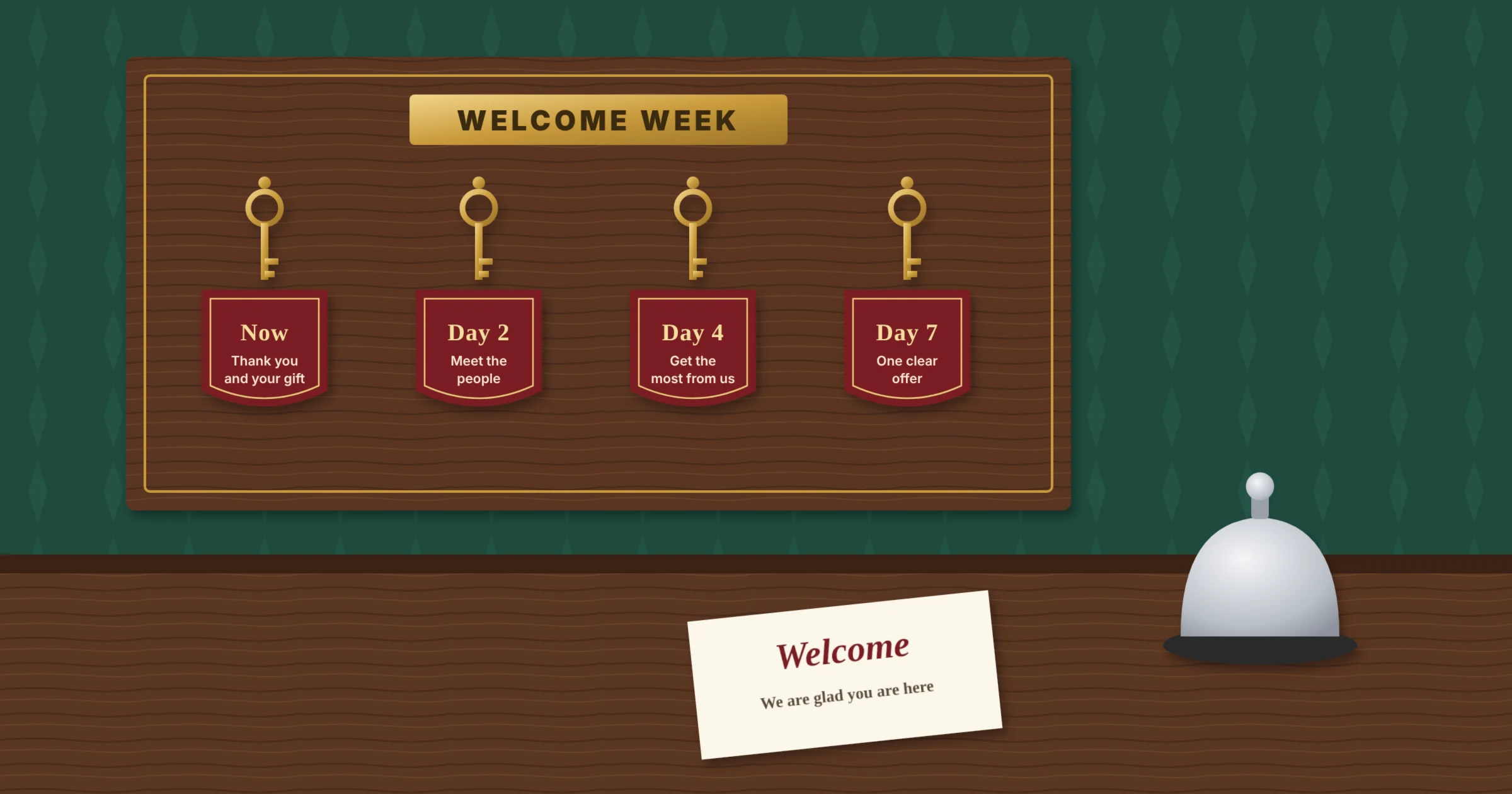
A welcome email is the first message a new subscriber or customer gets from you after signing up. The best approach for most businesses is a short sequence of three or four emails over the first week: deliver what you promised straight away, introduce who you are, point people to your most useful content and then make one clear offer.
New subscribers are paying more attention now than they ever will again, so this is the first automation to build in any email marketing plan. This guide sets out what to send and when, how to write each email, examples for different types of business, the UK rules that apply and how to measure whether it works.
Why welcome emails matter
Someone who has just handed over their email address is expecting to hear from you. A prompt, useful welcome confirms they made a good choice. Silence for two weeks followed by a sales newsletter does the opposite, and many people will have forgotten who you are.
A welcome sequence also does work that is hard to do later. It sets expectations about what you will send and how often, gets your emails into the main inbox early and gives you a chance to learn what each subscriber is interested in.
What to send in the first week
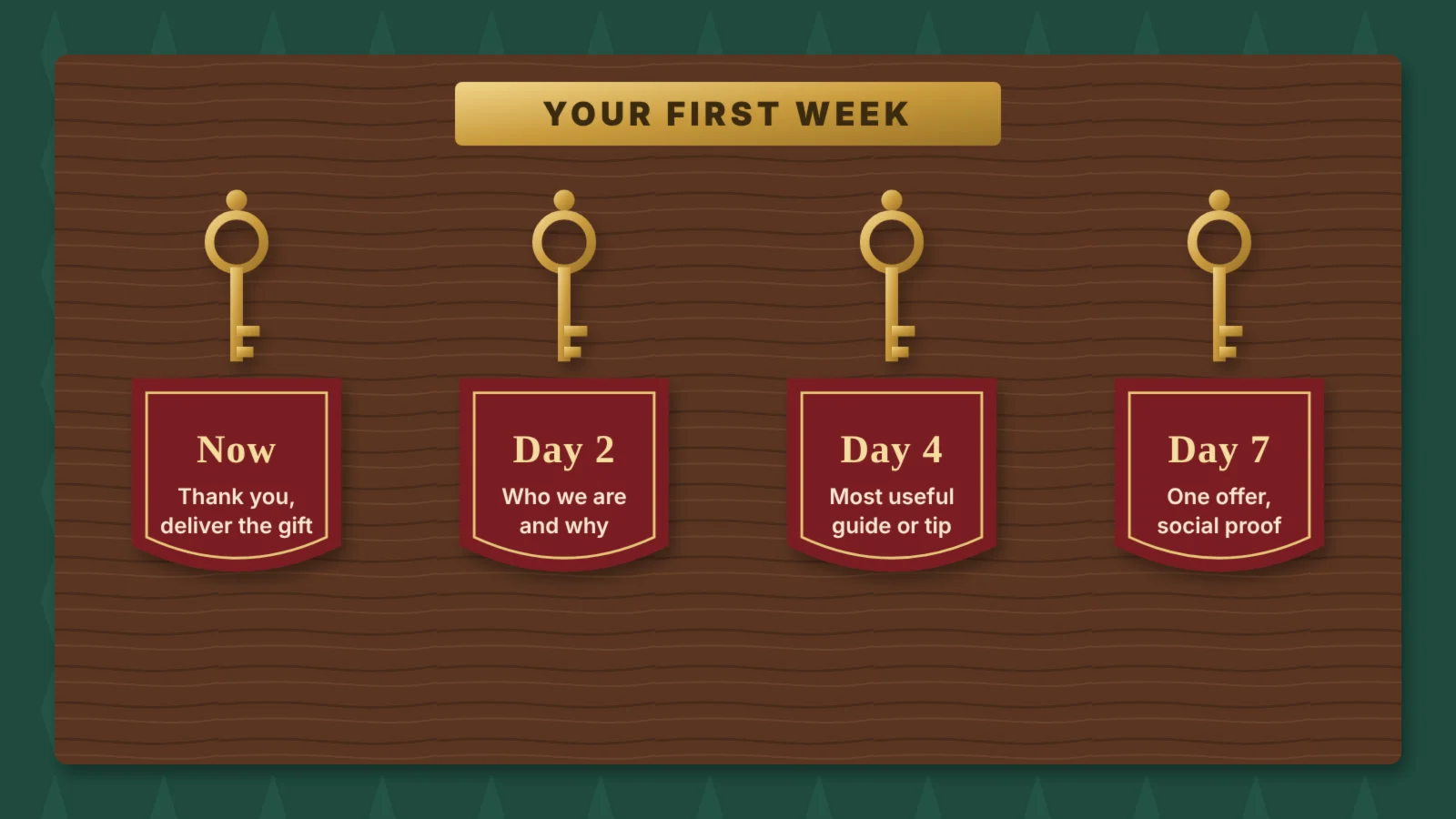
Email 1: send immediately
Thank the reader, deliver anything you promised, such as a discount code, a guide or a confirmation of their booking, and say what to expect next. Keep it short. This email should arrive within minutes, while they still have your website open.
Email 2: day 2
Introduce the people behind the business and why it exists. A short story about how you started, what you care about or who you help works better than a list of services. Write it in your normal tone of voice, so the reader starts to recognise you.
Email 3: day 4
Help the reader get value. Share your most useful guide, a how-to for your most popular product or answers to the questions new customers ask most. If you sell a service, a short case study fits here.
Email 4: day 6 or 7
Make one clear offer: book a call, try a best-seller, claim a first-order discount or reply with a question. Add social proof such as a review or a client result, and say what happens next, such as joining your regular newsletter.
If you only have time for one email, make it the first. You can add the rest later.
How to write a welcome email people read
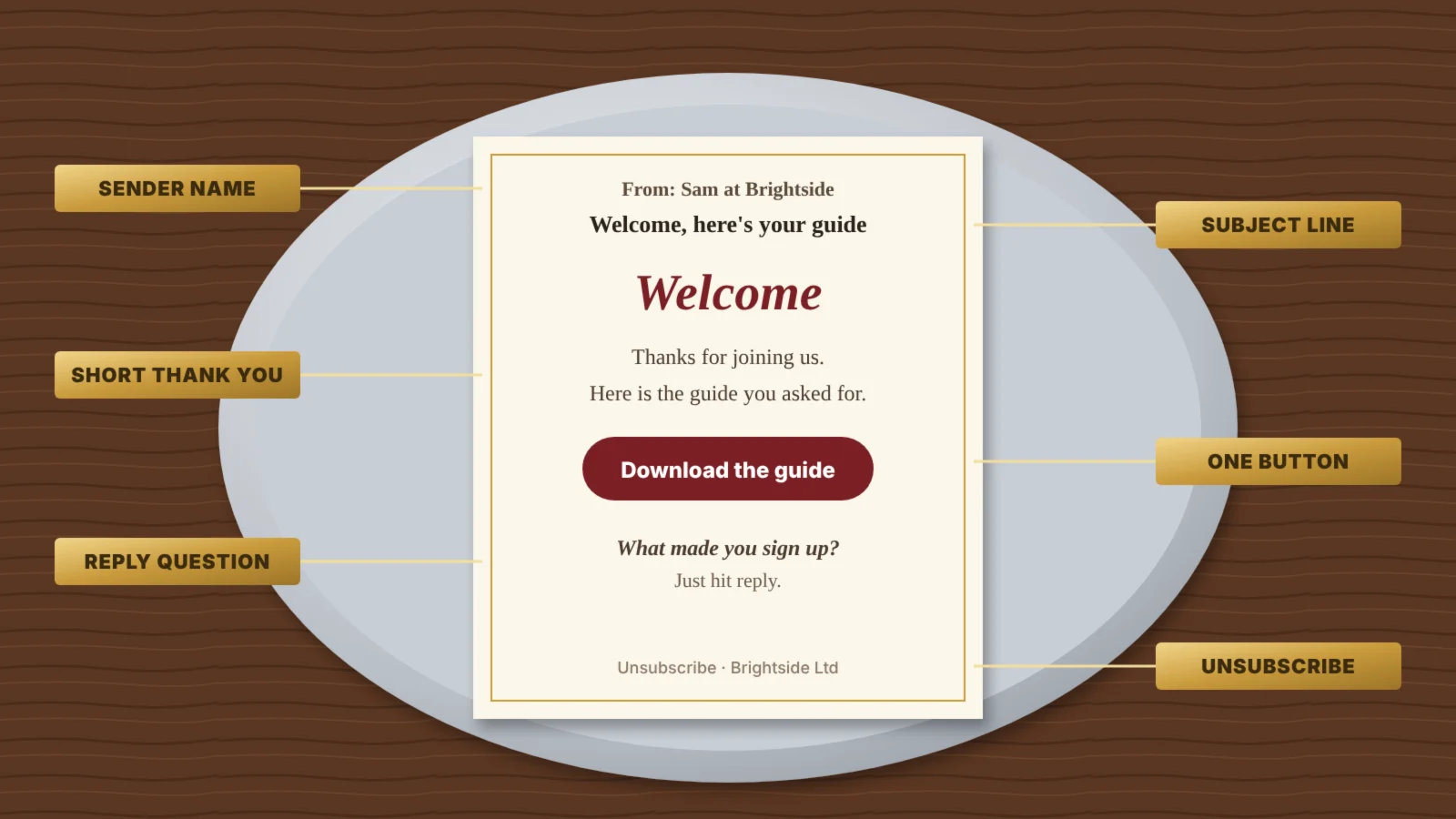
- Use a clear subject line. Say what is inside, such as “Your 10% code is inside” or “Welcome, here’s your guide”. Clever beats clear less often than people think.
- Send from a real name. A person’s name with the business name, such as “Sam at Brightside”, feels more personal than “noreply”.
- Give each email one job. One main message and one main button. Extra links are fine further down.
- Keep it short and scannable. Short paragraphs, a clear heading and a button big enough to tap on a phone.
- Ask a question. Inviting a reply, such as “What made you sign up?”, tells you what people want and signals to inbox providers that your emails are wanted.
- Tag every link. Add UTM parameters, so you can see in GA4 which emails lead to visits and sales. Our guide to marketing attribution explains how.
Welcome email examples by type of business
Online shop
Email 1 delivers the discount code and links to best-sellers. Email 2 tells the founder’s story or explains how products are made. Email 3 shares a buying guide or customer photos. Email 4 reminds people the code expires soon. A reminder that an offer is ending works because people dislike missing out, an idea explained in our guide to loss aversion, but the deadline must be real.
Service business
Email 1 sends the guide or checklist the person signed up for. Email 2 introduces the team and who you work with. Email 3 shares a short case study with a measurable result. Email 4 invites them to book a free call or reply with their main challenge.
Local business
Email 1 confirms the sign-up and gives opening hours, location and how to book. Email 2 shows the people behind the counter. Email 3 answers common questions, such as parking, prices or what to bring. Email 4 offers a first-visit incentive or asks them to follow you on the channel you use most.
UK rules for welcome emails
A welcome email that promotes your products or services counts as direct marketing, so the Privacy and Electronic Communications Regulations apply. Under PECR, you need the person’s consent to email them, unless they are an existing customer and you rely on the soft opt-in for similar products.
- Make the sign-up form clear about what people will receive, and do not pre-tick consent boxes.
- Keep a record of when and how each person signed up.
- Include an easy way to unsubscribe in every email, including the first.
- Say who you are in every message.
Purely transactional emails, such as order confirmations and receipts, do not need marketing consent. Adding heavy promotion to them can turn them into marketing, though, so keep the two separate. The UK rules are set out in the ICO’s guide to electronic mail marketing.
How to measure your welcome sequence
Open rates are unreliable since Apple Mail Privacy Protection began loading emails automatically, so focus on what people do:
- Clicks on each email’s main button.
- Replies to your question.
- Sales or bookings from new subscribers within 30 days, measured in GA4 with tagged links.
- Unsubscribes and spam complaints after each email.
Check the numbers once a month. If one email gets far fewer clicks than the others, change its subject line or its main offer first.
Common welcome email mistakes
- Waiting too long. A welcome that arrives days later loses most of its effect.
- Not delivering the promise. If the sign-up offered a guide or a code, it must be in the first email.
- Selling too hard, too soon. Three sales emails in a row teach people to ignore you.
- One sequence for everyone. Customers and newsletter subscribers need different welcomes.
- Setting and forgetting. Links break, offers expire and products change. Review the sequence every few months.
- No unsubscribe link. It is a legal requirement, and hiding it only leads to spam complaints.
Frequently asked questions
What should a welcome email include?
A thank you, anything you promised at sign-up, such as a discount code or a guide, a short line on what you will send and how often, one clear button and an easy way to unsubscribe. Sending it from a real person’s name helps.
When should you send a welcome email?
Immediately after someone signs up, ideally within a few minutes. Follow-up emails in a welcome sequence usually go out over the next week.
How many emails should a welcome sequence have?
Three or four emails over the first seven days suits most small businesses: a welcome, an introduction to the business, your most useful content and one clear offer.
Do welcome emails need consent in the UK?
Yes, if they promote your products or services. Under PECR you need consent, or the soft opt-in for existing customers buying similar products, and every email needs an unsubscribe link.
How do you measure a welcome email?
Track clicks, replies, sales from new subscribers and unsubscribes. Open rates are unreliable because Apple Mail Privacy Protection loads emails automatically.
On this page
Back to topTurn new subscribers into customers
Kutola plans and writes welcome sequences and other email automations that fit your brand, follow UK rules and lead to real enquiries and sales. See how it fits into our content strategy work, or get in touch to talk through your emails.