On-page SEO: what to fix on every page you publish
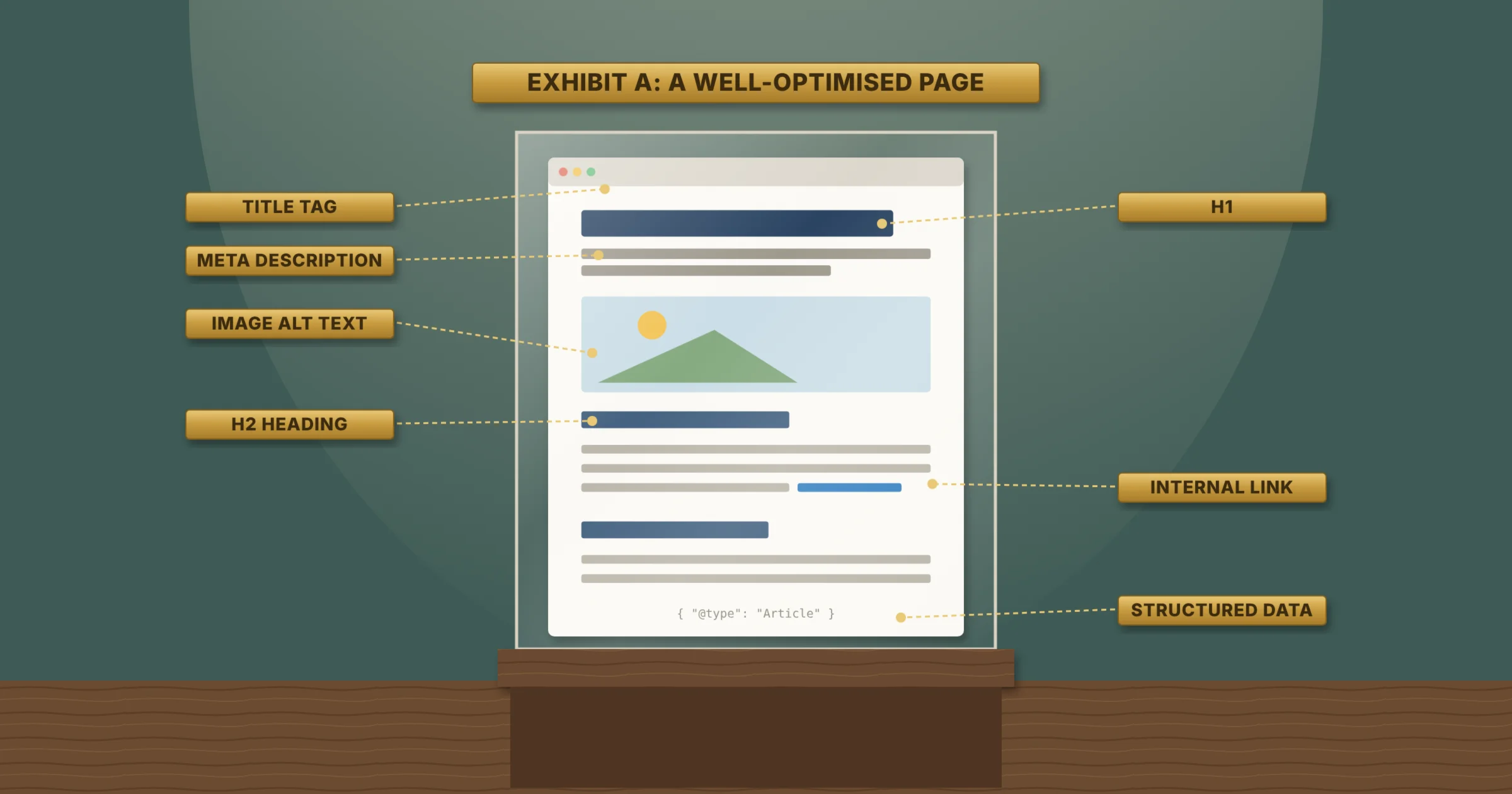
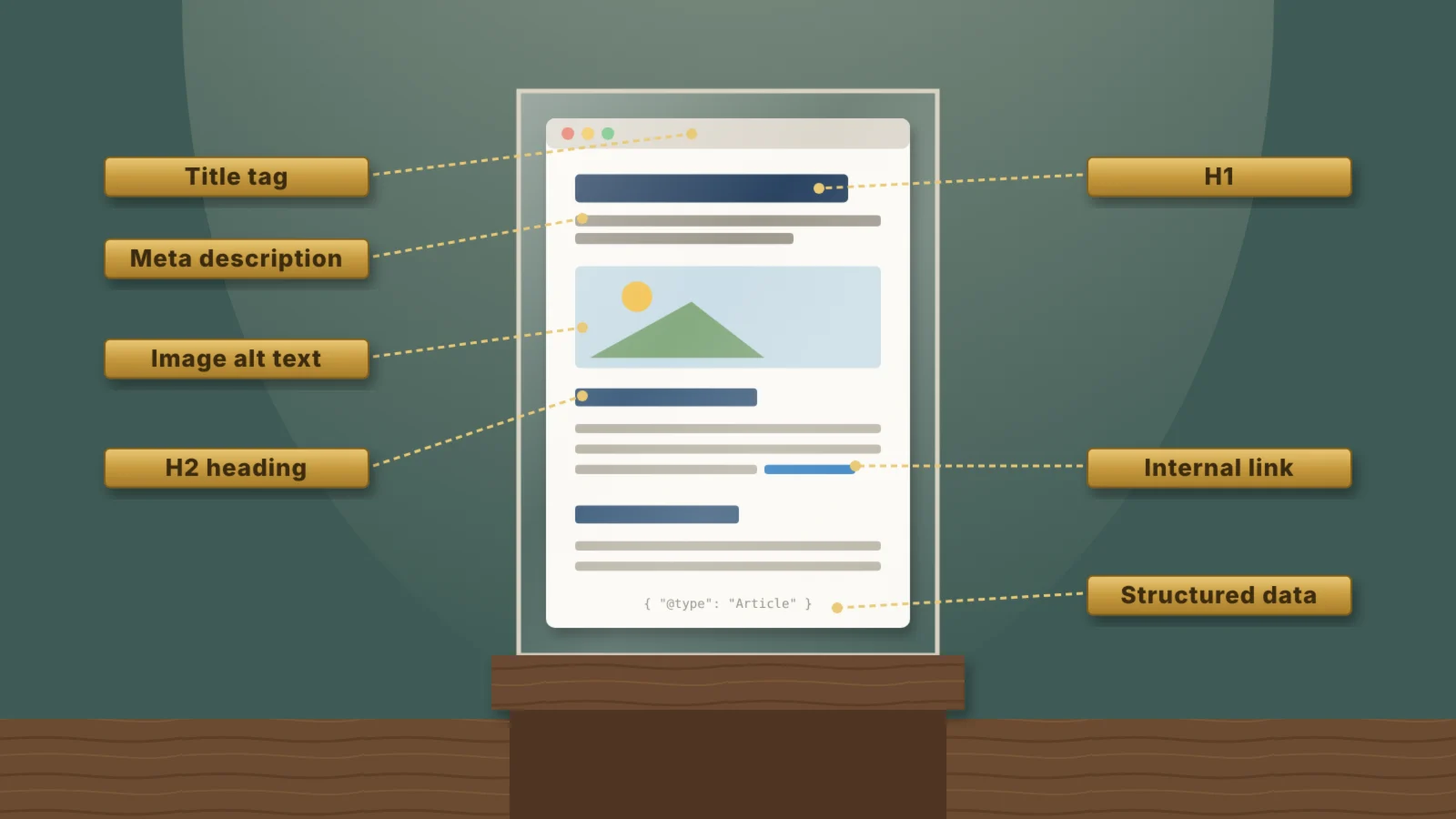
On-page SEO is everything you control on a single page that helps search engines and AI tools understand it and helps readers choose it: the title, the meta description, headings, the words on the page, images, internal links, the URL and structured data. Get these right every time you publish and each new page starts with a fair chance of being found, clicked and quoted.
On-page work is one of the four building blocks of an SEO strategy, alongside technical health, content and authority. This guide explains each element, gives a checklist to run before you hit publish and covers the mistakes that most often hold pages back.
What is on-page SEO?
SEO is often split into three parts. On-page SEO covers the content and code of each page. Technical SEO covers the site as a whole, such as crawling, indexing and speed. Off-page SEO covers the links and mentions other sites give you.
The lines blur. A slow template is a technical problem that shows up on every page, and an internal link is both an on-page element and part of your site structure. The useful test is simple: if you can fix it while editing one page, it is on-page SEO.
Why on-page SEO still matters
Search engines are good at understanding language, but they still rely on clear signals. A page that says exactly what it covers, in its title, headings and opening lines, is easier to match to the right searches than one that buries its point.
The same clarity helps AI search. Tools such as Google’s AI Overviews and ChatGPT pull short passages from pages to build answers. Direct answers under descriptive headings, facts with sources and a visible author make a page easier to quote, which is why on-page work overlaps so much with generative engine optimisation.
The on-page SEO elements to get right
Title tag
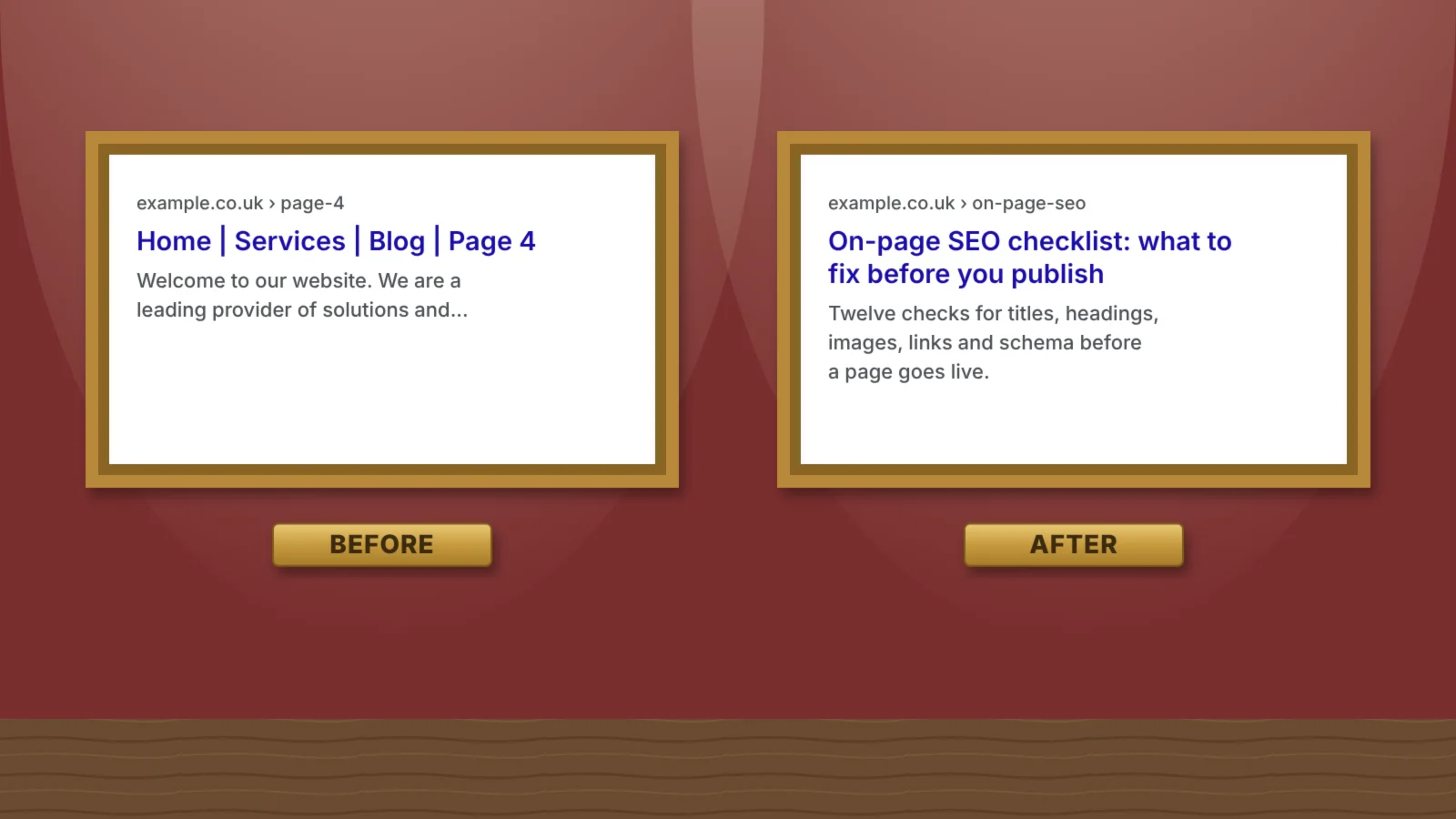
The title tag is the main source of the clickable headline in search results. Put the main topic near the start, make a promise the page keeps and keep it short enough to read in full, roughly 50 to 60 characters. Google may rewrite titles that are vague, stuffed with keywords or do not match the page, so write one that does not need rewriting.
Meta description
The meta description does not affect rankings, but Google often uses it as the snippet under your title. Summarise what the reader will get in one or two sentences and include the main topic, since matching words are shown in bold. Google may pick other text from the page if it fits the search better.
Headings
Use one H1 that matches the page’s purpose, then H2s for the main sections and H3s inside them. Headings should describe what follows, not tease it. Readers scan them to decide whether to stay, and search engines and AI tools use them to understand how the page is organised.
Content and keywords
Start with keyword research to learn the words people actually use, then answer the question behind them early and fully. Use the main phrase naturally in the title, H1, opening paragraph and at least one subheading, and cover the related questions people ask. Repeating a keyword more often does not help, and Google’s spam policies treat keyword stuffing as a violation.
Images and alt text
Give images descriptive file names and alt text that says what the image shows, for people using screen readers first and search engines second. Compress images and set their width and height so they do not slow the page or make the layout jump. Our guide to page speed covers the rest.
Internal links
Link from new pages to the main guide on the topic and from older pages to the new one, using anchor text that describes the destination. Internal links help search engines find pages and understand how they relate, and they keep readers moving. A topic cluster structure makes this routine.
URL
Keep URLs short, readable and stable: a few words that describe the page, separated by hyphens, without dates or long strings of numbers. Changing a URL later means setting up a redirect, so get it right before publishing.
Structured data
Schema markup tells search engines what a page represents, such as an article, a product or a local business, and who wrote it. It does not raise rankings on its own, but it can make a page eligible for rich results and helps machines read the facts correctly.
Show who wrote it and why it can be trusted
Google’s guidance on helpful content asks whether a page makes clear who created it, how and why. On every article, show a named author with a short bio, the date it was published or updated, sources for facts and figures and, where it matters, evidence of first-hand experience. These signals sit at the heart of E-E-A-T, and they matter more on topics that affect money, health or safety.
On-page SEO checklist for every page you publish
- The title tag leads with the main topic and makes a clear promise in about 50 to 60 characters.
- The meta description summarises the page in one or two sentences.
- There is one H1, and H2 and H3 headings describe each section.
- The opening paragraph answers the main question directly.
- The main phrase appears naturally in the title, H1, introduction and a subheading.
- Related questions are answered, with a short FAQ where it helps.
- Facts and figures link to their sources.
- Images have descriptive file names, alt text, set dimensions and compression.
- The page links to its main guide and two or three related pages, with descriptive anchors.
- The URL is short, readable and final.
- Article, author and other relevant schema validate without errors.
- The author, publication date and last update are visible.
How to optimise an existing page in 6 steps
- Pick the page. In Google Search Console, look for pages with plenty of impressions but a low click-through rate, or pages ranking just below the top results.
- Check the search intent. Search the main query and look at what ranks. If the results are guides and your page is a sales page, the format is the problem, not the wording.
- Rewrite the title and description. Make the promise clearer and more specific than the results around it.
- Tighten the opening. Answer the main question in the first two or three sentences, then explain.
- Fill the gaps. Add the subtopics and questions the leading pages cover and you do not, and update anything out of date.
- Add links and measure. Link to the page from two or three related pages, note the date of the change and compare clicks and positions after four to eight weeks.
Tools that help
Google Search Console shows the queries each page appears for, along with clicks, impressions and average position. Google’s Rich Results Test checks structured data, and browser extensions can show titles, headings and alt text at a glance.
For a quick view of how ready a page is for AI search, the free AI Readiness Checker scores a page out of 100 across crawler access, structure, structured data and trust signals. A full SEO audit applies the same checks across the whole site.
Common on-page SEO mistakes
- Duplicate titles and descriptions. Templates that repeat the same text across many pages make them hard to tell apart.
- Writing for keywords instead of readers. Awkward repetition puts people off and can count as spam.
- Headings used for styling. Choosing H2 or H3 for size rather than structure confuses the outline.
- Burying the answer. Long introductions push the useful part below the fold.
- Orphan pages. New pages with no internal links pointing to them are slow to be found.
- Missing or vague alt text. “Image1.jpg” helps no one.
- Setting and forgetting. Pages drift out of date. Review your most important pages at least once a year.
Frequently asked questions
What is on-page SEO?
On-page SEO is the work you do on an individual page to help it rank and earn clicks: the title tag, meta description, headings, content, images, internal links, URL and structured data. It sits alongside technical SEO, which covers the whole site, and off-page SEO, which covers links and mentions from other sites.
What is the difference between on-page and off-page SEO?
On-page SEO covers what you control on your own pages, such as content, headings and titles. Off-page SEO covers signals from elsewhere, mainly links, mentions and reviews on other websites.
How long should a title tag be?
There is no fixed limit, but titles of roughly 50 to 60 characters usually display in full. Put the main topic first so it stays visible if the title is cut short.
Do meta descriptions affect rankings?
No. Google has said meta descriptions are not a ranking factor, but a clear description can be shown as the snippet under your title and encourage more people to click.
Does on-page SEO help with AI search?
Yes. AI tools quote passages that answer questions directly under clear headings, with sources and a visible author. The same on-page work that helps rankings makes a page easier for AI systems to understand and cite.
On this page
Back to topMake every page easier to find and quote
Kutola reviews your key pages for on-page SEO and AI search readiness, then fixes titles, structure, content and schema in order of impact. See how it fits into our SEO and AI search work, or get in touch to talk through your site.